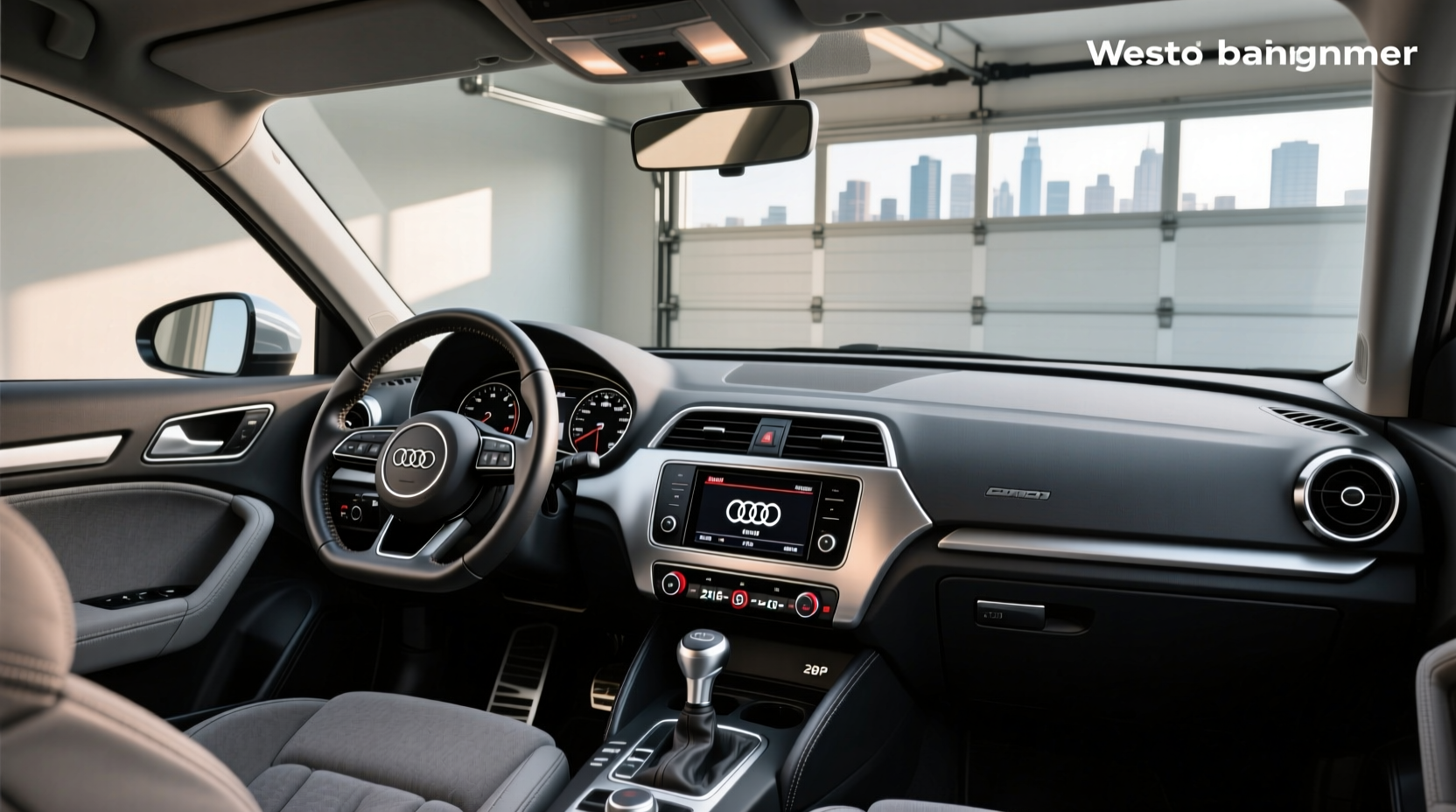
If you're upgrading the stereo in your Audi A3 8P (2003–2013), finding the correct faisceau autoradio Audi A3 8p is essential for a seamless installation. The right wiring harness adapter ensures compatibility between an aftermarket head unit and your car’s factory electrical system—especially critical if your vehicle has an active audio system like Bose or DSP. Without the proper harness, you risk speaker damage, power issues, or losing key features like steering wheel controls and amplified rear speakers.
This guide breaks down everything you need to know about selecting, installing, and troubleshooting the faisceau de branchement pour autoradio compatible avec Audi A3 8P, including differences between passive and active systems, CAN bus decoding needs, connector types (Quadlock vs ISO), and common pitfalls during installation. Whether you’re replacing a factory Concert or Symphony radio with an Android Auto head unit or simply improving audio clarity, this article gives you the technical insight to avoid costly mistakes.
Understanding the Audi A3 8P Electrical Audio System (2003–2013)
The Audi A3 8P generation was produced from 2003 to 2013 and came with several factory-installed audio configurations. Knowing which one your car has determines the type of faisceau autoradio Audi A3 8p you’ll need:
- Passive Audio System: Uses standard speakers without internal amplification. Power comes directly from the head unit.
- Active (Bose/DSP) System: Features externally powered speakers and subwoofers via a factory amplifier located in the trunk or under seats.
- Concert/Symphony/MIB1 Radios: Factory units that vary by model year and trim level.
🔧 Why It Matters: If your A3 8P has an active system, using a basic ISO harness without amplifier activation will result in no sound from rear speakers or subwoofer—even if front speakers work. You must use a specialized adapter that sends the correct turn-on signal to the factory amp.
Types of Faisceau Autoradio for Audi A3 8P
Not all wiring harnesses are created equal. Here's a breakdown of the main types available for the Audi A3 8p/8pa:
1. Standard ISO Wiring Harness (Passive Systems Only)
🛒 Best for: Base models without Bose or premium sound
⚙️ Connector Type: Converts factory Quadlock to ISO (DIN)
✅ Pros: Inexpensive (~€15–€25), easy to install
❌ Cons: Won’t activate factory amplifier; disables rear speakers/sub in active systems
This harness simply translates pin functions from the original Audi Quadlock plug to the universal ISO standard used by most aftermarket radios. It does not handle CAN bus communication or amplifier triggering.
2. Active System Adapter with Amp Turn-On Signal
🛒 Best for: Models equipped with Bose, DSP, or partial active systems
⚡ Function: Routes +12V ignition signal to blue/trigger wire for amplifier enable
✅ Pros: Preserves full speaker functionality, retains factory bass response
📌 Note: May require manual connection of the amp turn-on wire (often labeled 'Amp Remote' on new head units)
These adapters often include extra wires or built-in relays to simulate the factory signal that powers up the external amplifier when the radio turns on. Some models integrate this function into the harness design, while others require splicing.
3. CAN Bus Decoder / Canbus Box with Steering Wheel Control Retention
🌐 Needed when: Your car has digital dash integration or error messages appear after radio swap
👥 User Benefit: Keeps steering wheel audio controls functional
❗ Warning: Omitting this may cause warning lights, failed start-up, or non-responsive controls
Many A3 8P models use a CAN bus network to communicate between modules. When you replace the factory radio, the car may detect a missing module and disable audio functions. A CAN decoder mimics the factory unit’s presence and translates button presses from the steering wheel to the new head unit.
4. Android Auto / CarPlay Ready Harness with Integrated Converter
✨ Advanced Option: For modern touchscreens with wireless connectivity
📦 Included Features: Power regulation, reverse camera input, microphone support
⏱️ Installation Tip: Often includes piggyback fuses for switched 12V and constant power
Some high-end adapters bundle multiple components: ISO harness, CAN decoder, USB hub, and microphone preamp. These are ideal for installing advanced units like Pioneer DMH-WT7600NEX or JVC KW-V940BT.
Key Compatibility Factors When Choosing a Faisceau Autoradio
Selecting the wrong harness leads to frustration and potential damage. Consider these five factors before buying:
🔹 1. Determine Your Factory Audio System Type
📍 How to Check:
- Open the trunk and locate the amplifier (usually behind carpeted panels).
- If present, you have an active system and need an adapter with amp trigger support.
- No amplifier? Then a standard ISO harness suffices.
You can also check your VIN through Audi dealer tools or third-party decoders like VINDecoderZ1 to confirm audio package details.
🔹 2. Identify Connector Style: Quadlock vs ISO
All A3 8P models use a proprietary 20-pin Quadlock connector behind the head unit. Aftermarket radios use ISO connectors. Your harness must bridge this gap reliably.
🔍 Tip: Avoid cheap adapters with loose pins or thin gauge wires. Poor contact causes intermittent power or distortion.
🔹 3. Decide on Steering Wheel Control Support
If your car has multifunction buttons on the steering wheel, ensure your setup includes a CAN bus interface. Not all harnesses provide this—some require a separate module.
📌 Rule of Thumb: Higher trim levels (SE, S line, Premium Plus) almost always require CAN bus retention.
🔹 4. Power Requirements and Fuse Tapping
Aftermarket head units often draw more current than factory ones. Ensure your harness provides both:
- Switched 12V (ignition-on power)
- Constant 12V (for memory/settings)
Many users tap into the fuse box using add-a-fuse kits instead of relying solely on the harness. This method is safer and avoids overloading OEM circuits.
🔹 5. Antenna and Satellite Radio Considerations
The A3 8P uses a diversity antenna system with two roof-mounted elements. Most harnesses include an ISO-Fakra adapter, but if you want SiriusXM or DAB+, verify compatibility.
📡 Note: US-market A3s (2006–2013) have a dedicated SiriusXM tuner in the trunk. Replacing the head unit requires an antenna adapter (e.g., SAA-SIR600) to maintain satellite reception2.
Step-by-Step Installation Guide for Faisceau Autoradio Audi A3 8P
🛠️ Tools Needed: Trim removal tool, screwdriver, multimeter, heat shrink tubing (optional)
- Disconnect Battery: Remove the negative terminal to prevent shorts.
- Remove Trim Panel: Use a plastic pry tool to remove the center console surround and climate control bezel.
- Extract Factory Radio: Insert U-shaped removal keys (or bent coat hangers) into the side slots and gently pull out the unit.
- Inspect Connectors: Locate the Quadlock data/power plug and antenna cable.
- Connect Harness Adapter: Plug the faisceau autoradio Audi A3 8p into the factory harness. Do not force it.
- Wire New Head Unit: Match color-coded wires (power, ground, speakers, illumination) to the ISO side.
- Enable Amplifier (if applicable): Connect the blue “remote turn-on” wire from the new radio to the amp-enable wire on the harness (often orange or yellow).
- Mount and Test: Slide everything back, reconnect battery, and test all speakers and functions.
⚠️ Common Mistake: Assuming all speakers will work automatically. In active systems, failure to connect the amplifier enable wire results in silent rear channels.
Troubleshooting Common Issues After Installation
Even with the correct faisceau de branchement autoradio Audi A3 8p, problems can occur. Here’s how to fix them:
| Issue | Possible Cause | Solution |
|---|---|---|
| No sound from rear speakers | Factory amp not activated | Check amp turn-on wire connection; test voltage at amp input |
| Steering wheel controls don’t respond | Missing CAN bus decoder | Add compatible CAN interface module |
| Display flickers or resets | Insufficient power supply | Verify constant and switched 12V connections; consider direct battery feed |
| Error message on dashboard | Car detects missing radio module | Install CAN bus emulator or reprogram BCM (advanced) |
| Poor FM reception | Incompatible antenna adapter | Use Fakra-to-ISO converter with signal booster if needed |
Regional Differences: Europe vs US Market A3 8P
There are notable variations between European and North American versions of the A3 8P that affect harness selection:
- Europe: Typically uses analog/digital radio (DAB optional), no SiriusXM, simpler antenna layout.
- USA: Includes SiriusXM satellite radio, requiring additional antenna routing and decoder compatibility.
- Voltage Stability: US models sometimes show lower idle voltage—important for sensitive digital head units.
🌍 Recommendation: Always specify your market region when purchasing a harness online. An EU-spec adapter may lack SiriusXM support needed for US vehicles.
DIY vs Professional Installation: What to Consider
While installing a faisceau autoradio Audi A3 8p seems straightforward, complications arise depending on your skill level.
✅ DIY Friendly If:
- You own basic tools and understand wiring diagrams.
- Your system is passive or uses a well-documented active setup.
- You’re installing a simple upgrade (e.g., single-DIN to double-DIN).
🔧 Professional Help Recommended If:
- You have a Bose/DSP system and aren’t confident about amp signaling.
- Integration with backup cameras, ambient lighting, or HVAC controls is required.
- You encounter CAN bus errors post-installation.
⏱️ Average labor time: 1–2 hours. Labor cost varies by region ($75–$150 USD).
Where to Buy Reliable Faisceau Autoradio for Audi A3 8P
When sourcing a harness, prioritize reliability over price. Look for brands known for consistent build quality such as:
- Sound-way (offers specific kits for A3 8P with active systems)
- Tomzz Audio (specializes in European car audio integration)
- Enfig Car Stereo (US-focused, supports SiriusXM setups)
🏭 Manufacturing Note: Many adapters originate from OEM suppliers in Germany or Poland. Chinese-made variants exist but vary in durability—check reviews focusing on long-term performance.
🚚 Shipping Tip: Buying locally reduces import fees and speeds delivery, especially important for time-sensitive projects.
Myths and Misconceptions About Radio Harnesses for Audi A3 8P
Let’s clarify some widely believed myths that lead to poor decisions:
❌ Myth 1: "Any ISO Harness Will Work Fine"
Truth: Only true for passive systems. Active systems require specific signaling to avoid dead speakers.
❌ Myth 2: "CAN Bus Is Only for Luxury Trims"
Truth: Even base models post-2008 may rely on CAN communication for basic audio operation.
❌ Myth 3: "You Must Cut Wires for a Clean Install"
Truth: Modern plug-and-play harnesses eliminate the need for cutting. Use crimp connectors or solder only if necessary.
❌ Myth 4: "All Adapters Support Android Auto"
Truth: The harness itself doesn’t enable Android Auto—it’s the head unit. However, some integrated converters do support video/audio pass-through.
Maintenance and Long-Term Reliability Tips
Once installed, your faisceau autoradio Audi A3 8p should last the life of the vehicle—if properly maintained.
- 🧼 Periodically inspect connections for corrosion, especially in humid climates.
- 🔌 Avoid daisy-chaining multiple adapters; each junction increases resistance and failure risk.
- 🔋 Use a voltmeter annually to confirm stable power delivery (should read ~12.6V off, ~14.2V running).
📌 Pro Tip: Label wires during installation. Future upgrades become much easier.
Conclusion: Matching the Right Harness to Your A3 8P Setup
Choosing the correct faisceau autoradio Audi A3 8p isn't just about physical fit—it's about electrical compatibility, system intelligence, and long-term functionality. By identifying whether your A3 has a passive or active audio system, determining CAN bus requirements, and understanding regional specifications, you can avoid common installation pitfalls.
Whether you're installing a budget-friendly Bluetooth receiver or a full touchscreen navigation system, the right harness ensures seamless integration. Take time to verify your factory configuration, invest in quality components, and follow best practices for wiring and testing.
Frequently Asked Questions (FAQ)
- Can I use a generic ISO harness on my Audi A3 8P with Bose sound?
- No. Generic ISO harnesses do not activate the factory amplifier. You need a harness specifically designed for active systems that includes an amp turn-on signal wire.
- What happens if I don’t connect the CAN bus decoder?
- You may lose steering wheel control functionality, see error messages on the dashboard, or experience radio shutdowns due to communication failure with the vehicle network.
- Do I need to code my car after installing a new radio harness?
- Usually not for basic installations. However, some advanced integrations (like retaining CarPlay via MMI) may require VCDS or ODIS coding at a dealership or specialist shop.
- Is there a difference between A3 8P and 8PA models regarding wiring?
- No significant difference. Both 8P (3-door/5-door) and 8PA (facelift 2008–2013) share the same electrical architecture and harness requirements.
- Can I install a wireless Android Auto head unit without modifying the harness?
- Yes, as long as your harness provides stable power and you use a compatible head unit. However, ensure your vehicle’s USB port (if used for pairing) is enabled and recognized.




 浙公网安备
33010002000092号
 浙B2-20120091-4