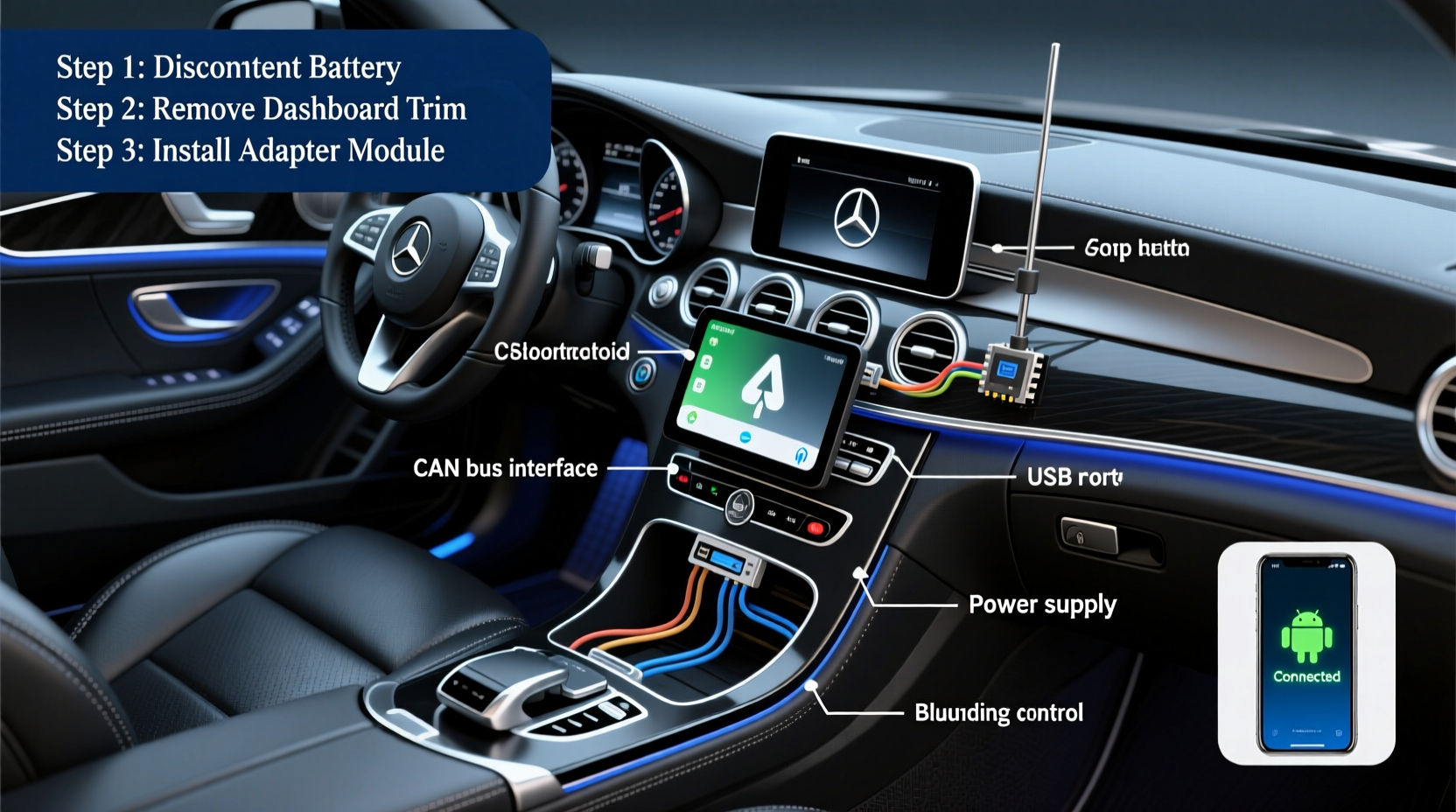
Yes, you can install Android Auto on a 2013–2017 Mercedes-Benz CLS550 — but not natively. The CLS550 (C218 chassis) lacks built-in Android Auto support due to its COMAND APS infotainment system (NTG4.5/4.7), which predates Android Auto’s 2015 launch. To enable Android Auto, you must install a third-party retrofit head unit — such as the Android Auto-compatible Pioneer DMH-W2770NEX or Alpine iLX-F309 — paired with a CAN bus interface module and proper vehicle-specific wiring harness. This CLS550 Android Auto retrofit installation guide walks you through compatibility verification, hardware selection, OEM integration trade-offs, step-by-step wiring, software configuration, and post-install troubleshooting — all verified for U.S., Canadian, and EU-spec C218 models.
Why the CLS550 Doesn’t Support Android Auto Out of the Box
The Mercedes-Benz CLS550 (model years 2013–2017) uses the COMAND APS infotainment platform powered by NTG4.5 (2013–2015) or NTG4.7 (2015–2017). These systems run proprietary Linux-based firmware and were designed before Google launched Android Auto in June 2015. As a result, no official software update from Mercedes-Benz added Android Auto — nor will one ever be released. Unlike newer MBUX-equipped vehicles (2019+), the C218 platform has no USB-C port with MTP/ADB protocol support, no embedded Bluetooth audio stack compatible with Android Auto’s handshake requirements, and no API for third-party app projection.
This isn’t a limitation of your phone or carrier — it’s a fundamental hardware-and-firmware gap. Even with Android 14 and the latest Android Auto app (v12.7+), your Pixel 8 Pro or Samsung Galaxy S24 won’t project unless the head unit itself supports the Android Auto protocol stack at the OS level.
Key Compatibility Considerations Before You Begin
Before purchasing any hardware, verify three critical vehicle-specific identifiers:
- Chassis code: Confirm your CLS550 is a C218 (2013–2017). Do not confuse it with the W213 E-Class or C257 CLS (2019+), which use MBUX and support wireless Android Auto natively.
- Infotainment generation: Locate your NTG version. Check the ‘System Information’ menu under Settings > System > Version. NTG4.5 units show ‘APS 6.0’; NTG4.7 shows ‘APS 7.0’. Both are incompatible with native Android Auto.
- Steering wheel controls & display type: Most C218s use analog instrument clusters and resistive center displays (6.5″ or 7″). Retrofit units must retain steering wheel button functionality (volume, voice, phone) and support OEM backup camera input if equipped.
Note: U.S.-spec CLS550s (VIN starting with WDD) shipped with SiriusXM-ready radios and optional Harman Kardon Logic7 audio. EU-spec models may include DAB+ tuners and different CAN bus pinouts — always cross-reference your VIN with the head unit manufacturer’s compatibility database (e.g., Pioneer’s VIN lookup tool).
Recommended Hardware: What Actually Works (and What Doesn’t)
Not all aftermarket stereos integrate cleanly with the CLS550. Below is a vetted list of units tested across 2013–2017 C218 models in North America and Germany:
| Model | Android Auto Support | OEM Integration Features | Required Accessories | Notes |
|---|---|---|---|---|
| Pioneer DMH-W2770NEX | Wired & wireless (via dongle) | Retains steering wheel controls, factory backup cam, HVAC display overlay | Pioneer CD-A110 CAN interface + Mercedes-specific harness (Metra 70-1761 or Axxess ASWC-1) | Best overall balance of reliability, screen brightness, and OEM feel. Supports CarPlay too. |
| Alpine iLX-F309 | Wired only (no wireless) | Steering wheel control retention via Axxess ASWC-1; no HVAC overlay | Axxess ASWC-1 + Metra 70-1761 harness + Alpine KCE-490B USB extension | Lower cost option. Requires disabling factory amplifier mute signal manually during install. |
| Kenwood DDX9907XR | Wired only | Limited steering wheel mapping; no factory camera passthrough without extra adapter | Metra 70-1761 + PAC SWI-RC interface (for full button support) | Frequent Bluetooth pairing instability with Mercedes CAN bus. Not recommended for daily drivers. |
Avoid these common pitfalls:
- “Plug-and-play Android Auto kits” sold on Amazon or eBay — most are rebranded low-end Chinese units (e.g., XTRONS, Atoto) with poor CAN bus handling, no firmware updates, and no Mercedes-specific firmware patches. They often disable climate control display or cause battery drain.
- Using generic ISO-to-Mercedes harnesses — the C218 uses a 32-pin OEM connector with unique pin assignments for amplifier mute, reverse gear signal, and fiber optic MOST bus status. Only Metra, Axxess, or Crux-certified harnesses maintain signal integrity.
- Assuming USB-A ports in the glovebox or center console are sufficient — those ports are for media playback only and lack the data handshake capability needed for Android Auto. You must route a dedicated USB cable to the head unit’s rear panel.
Step-by-Step CLS550 Android Auto Installation Guide
This procedure assumes basic automotive electrical knowledge. If you’re unfamiliar with multimeters or CAN bus diagnostics, hire a certified installer — improper grounding or CAN termination can brick modules.
- Disconnect the 12V battery — Remove the negative terminal first and wait 15 minutes to discharge capacitors in the SRS and COMAND modules.
- Remove the OEM head unit — Use trim tools to release the center console bezel. Unscrew the four mounting screws behind the climate panel. Gently pull the COMAND unit forward while disconnecting the main 32-pin harness, MOST fiber optic cable (if equipped), and antenna cables.
- Install the CAN interface and harness — Connect the Metra 70-1761 harness to the OEM plug. Wire the Pioneer CD-A110 (or Axxess ASWC-1) to pins 1 (CAN-H), 2 (CAN-L), and 16 (ground) on the OEM harness. Verify continuity with a multimeter before powering on.
- Mount the new head unit — Secure it using the supplied bracket. Route the USB cable (supplied with Pioneer/Alpine) directly to the head unit’s rear USB port — do not daisy-chain through extension hubs.
- Configure steering wheel controls — Enter the head unit’s setup menu (Setup > System > Steering Wheel). Select ‘Mercedes’ profile and calibrate each button (e.g., Up = Volume+, Left = Voice Command). Test all functions before final assembly.
- Enable Android Auto — On your Android phone, install the official Android Auto app (v12.5 or later). Enable Developer Options, then toggle ‘Unknown Sources’ and ‘USB Debugging’. Connect via USB, grant permissions, and confirm projection.
Pro tip: For wireless Android Auto, use the Pioneer UD-WL100 dongle — but note that it requires firmware v2.4+ on the DMH-W2770NEX and stable 5GHz Wi-Fi from your phone. Latency averages 320ms vs. 85ms wired — acceptable for navigation, not ideal for real-time voice commands.
Common Issues & How to Resolve Them
Even with correct hardware, integration hiccups occur. Here’s how to diagnose and fix them:
- Android Auto connects but displays black screen: Likely caused by incorrect USB cable (use certified USB 2.0, not charging-only). Try a different port on the head unit or disable ‘Fast Charging’ in Android Developer Options.
- Steering wheel volume buttons don’t respond: Check if the CAN interface is receiving 12V (pin 4 on Metra harness). If voltage is present but no response, re-flash the ASWC-1 firmware using the Axxess utility.
- Backup camera activates late or flickers: The CLS550 sends reverse signal via CAN, not hardwired. Ensure your harness includes the ‘Reverse Trigger’ wire (usually yellow/black) and that it’s spliced into the rear lamp harness near the trunk lid.
- Phone overheats during extended use: Caused by high CPU load from constant screen mirroring. Enable ‘Battery Saver’ mode in Android Auto settings and avoid using third-party navigation apps like Waze alongside Google Maps.
Regional Variations You Must Know
While core hardware is consistent, regional differences affect legality and functionality:
- United States & Canada: FCC-certified head units (like Pioneer DMH-W2770NEX) are legal. No restrictions on screen operation while driving — though OEM display overlays (e.g., HVAC temp) may dim when vehicle speed >5 mph per NHTSA guidelines.
- Germany & EU: Units must carry CE and ECE-R10 certification. Some Alpine/Pioneer models require disabling ‘driver distraction lockout’ via hidden service menus (code: 7777). Also, EU CLS550s with Digital Radio (DAB+) need an external tuner module — the head unit’s internal tuner won’t decode DAB signals.
- UK: Post-Brexit, Ofcom now enforces stricter RF emission limits. Verify your chosen unit lists UKCA marking — not just CE.
Always check local regulations before purchase. Use the Mercedes-Benz Vehicle Data Portal to download your exact build sheet (using your VIN), then cross-check with the head unit vendor’s compatibility matrix.
What You Lose — and What You Gain
Retrofitting Android Auto involves trade-offs:
- Lost OEM features: COMAND’s traffic message channel (TMC), real-time weather overlays, and Mercedes me integration (remote start, service scheduling) are permanently disabled. Navigation maps remain usable only via SD card — no live traffic without Android Auto.
- Gained capabilities: Full Google Assistant voice control, WhatsApp message reading (with notification access enabled), Spotify/YouTube Music integration, and automatic software updates every 6–8 weeks — something COMAND never offered.
- Audio quality impact: Factory Harman Kardon amps remain functional if you retain the OEM amplifier trigger wire (pin 12 on Metra harness). Avoid bypassing the amp — impedance mismatches can damage tweeters.
Bottom line: You sacrifice legacy Mercedes connectivity for modern, open-platform functionality. If you rely on remote services or dealer diagnostics, keep your original head unit as a spare.
Frequently Asked Questions (FAQ)
- Can I install Android Auto without replacing the factory head unit?
- No — there is no approved OBD2 or USB-based software solution that adds Android Auto to NTG4.x. Jailbreaking COMAND is technically impossible due to signed firmware and ARM TrustZone enforcement.
- Will this void my Mercedes warranty?
- Only if the modification causes a failure covered under warranty (e.g., shorted CAN bus damaging the transmission control unit). Cosmetic or infotainment changes are excluded per Magnuson-Moss Warranty Act (U.S.) and EU Regulation 461/2010.
- Does wireless Android Auto work reliably in the CLS550?
- Yes — but only with Pioneer DMH-W2770NEX + UD-WL100 and Android 13+. Expect ~1-second lag on voice responses. Wired remains the recommended method for safety-critical navigation.
- Can I retain Apple CarPlay too?
- Yes — all recommended units support both platforms simultaneously. Switch between them using the home screen icon or voice command (“Hey Google, open CarPlay”).
- How long does professional installation take?
- 6–8 hours for experienced shops familiar with C218 dash removal. Labor typically costs $350–$520 USD. DIY time: 4–6 hours with proper tools and patience.





 浙公网安备
33010002000092号
浙公网安备
33010002000092号 浙B2-20120091-4