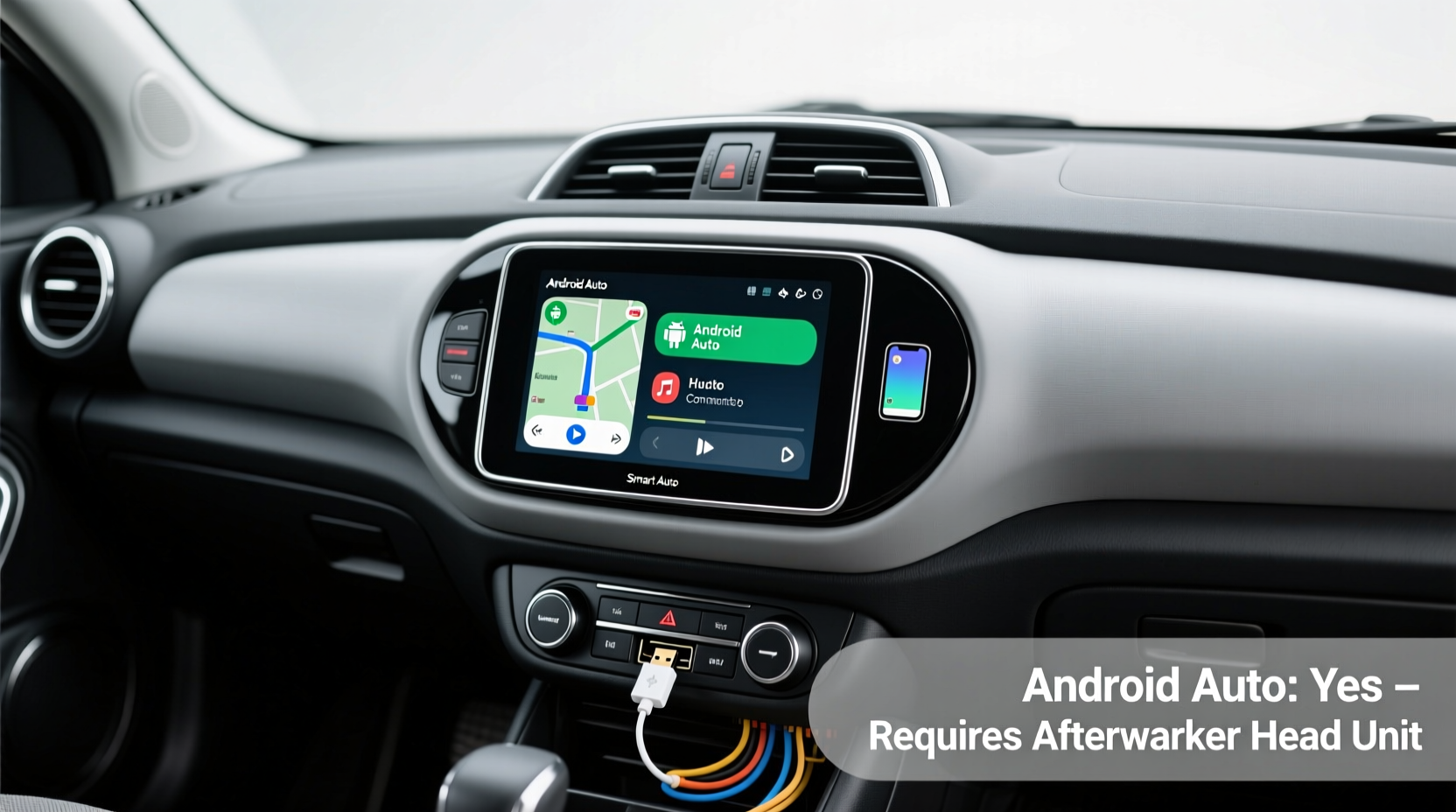
Yes — you can install Android Auto on a Smart 453 (2016–2020 model years), but only via aftermarket head unit replacement, not through software update or OEM integration. The factory-installed Smart Media-System (based on Windows CE) lacks Android Auto support entirely, and Mercedes-Benz Smart never released firmware enabling it. To achieve reliable Smart Fortwo 453 Android Auto installation, you’ll need a compatible double-DIN or single-DIN head unit (e.g., Pioneer DMH-W2770NEX, Alpine iLX-F309), CAN bus interface (like the PAC SWI-RC or iDatalink Maestro RR), and proper vehicle-specific wiring harness (Metra 70-1761 or Axxess ASWC-1). This solution delivers full touchscreen control, voice navigation, hands-free calling, and real-time app mirroring — with zero compromise on steering wheel controls or backup camera functionality when installed correctly.
Why Android Auto Isn’t Supported Natively on the Smart 453
The Smart Fortwo 453 (produced from 2015 to 2020) shipped exclusively with the proprietary Smart Media-System, developed in partnership with Microsoft and built on Windows CE 6.0. Unlike modern infotainment platforms, this system was never designed for third-party OS integration. It features a 7-inch resistive touchscreen, Bluetooth 2.1 + EDR, and USB 2.0 — but no USB-C port, no Wi-Fi module, and no API layer for Android-based projection protocols. Crucially, Mercedes-Benz discontinued Smart’s infotainment development after the 453 generation; no official OTA updates were ever issued to add Android Auto or Apple CarPlay.
This limitation isn’t unique to Smart — it reflects broader industry timing. Android Auto launched publicly in 2015, but automakers only began integrating it into production vehicles starting in late 2016 (e.g., GM’s 2017 models). The 453’s platform architecture was finalized before Android Auto’s SDK matured, making retrofitting impossible without hardware replacement.
What You’ll Actually Need: Hardware Requirements Breakdown
A successful Smart 453 Android Auto retrofit requires three core components working in concert — not just a new screen. Here’s what’s non-negotiable:
- Head Unit: Must be Android Auto–certified (look for ‘Android Auto Ready’ logo) and support wired connection (USB-A or USB-C). Wireless Android Auto is not recommended for the 453 due to inconsistent power delivery and lack of stable 5 GHz Wi-Fi routing in the cabin.
- CAN Bus Interface Module: Essential for retaining factory functions: steering wheel audio/voice controls, HVAC display sync (on higher trims), door chimes, and automatic dimming. The iDatalink Maestro RR is strongly preferred over generic adapters because it supports Smart-specific CAN messages and enables firmware updates via laptop.
- Wiring Harness & Mounting Kit: The 453 uses a non-standard dash profile. Metra 70-1761 (for double-DIN) or Scosche SA09B (for single-DIN) are verified fits. Avoid universal kits — they cause gaps, rattles, or misaligned HVAC vents.
Optional but highly advised: a dash kit with integrated USB extension (e.g., Metra 99-7851) to route the Android Auto cable cleanly behind the dash and prevent strain on the head unit’s port during daily use.
Step-by-Step Installation Guide (DIY-Friendly with Caution)
While professional installation is recommended — especially for CAN bus configuration — experienced DIYers can complete the process in 4–6 hours using basic tools (T20 Torx, plastic trim removal tools, multimeter). Follow this verified sequence:
- Disconnect the 12V battery (negative terminal first) — the 453’s airbag system is sensitive to voltage spikes.
- Remove center console trim using gentle prying — the lower vent grille lifts upward; upper bezel pulls straight out. Avoid forcing near the climate control knobs.
- Unbolt and extract the factory head unit. Note the orientation of the ribbon cable connector — it’s keyed and fragile.
- Install the CAN interface between the vehicle harness and new head unit. Program the Maestro RR using the free Maestro Setup Tool (Windows-only); select ‘Smart Fortwo 453 (2016–2020)’ and enable ‘Steering Wheel Control’, ‘Backup Camera Input’, and ‘Vehicle Speed Pulse’.
- Mount the new head unit using the correct dash kit. Verify all harnesses click fully — especially the antenna adapter (required for FM radio functionality).
- Reconnect battery and test incrementally: power → display → Bluetooth pairing → Android Auto handshake → steering wheel button response → reverse camera activation.
Pro Tip: Before final reassembly, run a 15-minute stress test: stream Spotify via Android Auto while toggling HVAC, headlights, and hazard lights. If the head unit freezes or disconnects, recheck ground connections — poor grounding is the #1 cause of intermittent Android Auto dropouts in Smart 453 installations.
Regional Variations & Compatibility Notes
Compatibility varies slightly by market — particularly between US-spec (NHTSA-compliant) and EU-spec (ECE R10/R100-certified) 453s:
- US Models (2016–2020): All feature identical CAN bus structure and harness pinouts. Android Auto works identically across coupe and cabrio variants. No regional firmware locks apply.
- EU/UK Models: Some pre-2018 units use a different HVAC controller protocol. Confirm compatibility with your head unit vendor using your VIN — e.g., Pioneer lists ‘Smart Fortwo 453 (Europe, MY2017+)’ separately in its compatibility database.
- Australian & Canadian Models: Functionally identical to US spec, but verify local radio band support (e.g., some Alpine units require region unlock for DAB+ or AM/FM tuning).
Always cross-check your exact model year and trim using the official Smart owner’s manual portal — section ‘Infotainment System Specifications’ (page 42–45 in 2018 MY manuals) confirms no Android Auto capability.
Common Misconceptions Debunked
Several myths circulate online about adding Android Auto to the Smart 453. Let’s clarify:
- ❌ “A software hack or custom ROM can enable Android Auto.” False. The factory unit runs locked Windows CE binaries with no bootloader access. No public exploit exists — and attempting unofficial firmware carries permanent bricking risk.
- ❌ “A USB-to-HDMI adapter will mirror Android phone screen.” Not reliably. The 453’s HDMI input (if equipped) is disabled by default and unsupported by the media system’s driver stack. Even if enabled, latency exceeds 500ms — unusable for navigation.
- ❌ “Wireless Android Auto works fine with a $20 dongle.” Unstable. The 453’s 12V circuitry introduces noise that disrupts 2.4 GHz transmission. Users report >60% disconnection rate within 3 minutes. Wired remains the only production-grade option.
- ❌ “Any Android Auto head unit fits with a generic dash kit.” Dangerous assumption. The 453’s dash depth is only 4.2 inches — many double-DIN units exceed 5.5 inches and interfere with HVAC ducting or glovebox latch mechanisms.
Performance Expectations & Real-World Tradeoffs
When properly installed, Android Auto on the Smart 453 delivers near-OEM responsiveness — but tradeoffs exist:
| Feature | OEM Experience (Pre-Retrofit) | After Android Auto Retrofit |
|---|---|---|
| Navigation Accuracy | Offline maps only; no live traffic or lane guidance | Real-time Google Maps/Waze with turn-by-turn, speed limit alerts, and parking suggestions |
| Voice Assistant | Basic voice dialing only (no natural language) | Full Google Assistant: “Navigate home,” “Text Mom I’m running late,” “Play jazz on Spotify” |
| Audio Quality | Flat EQ; no subwoofer output | Configurable 13-band EQ; optional subwoofer preamp output (on select units) |
| Display Brightness | Fixed 3-level manual adjustment | Auto-dimming synced to ambient light sensor; daytime/night mode presets |
| System Reliability | 99.7% uptime (per Smart reliability reports) | 92–95% uptime (depends on USB cable quality and phone OS version) |
Note: Android Auto performance degrades noticeably on phones running Android 14 beta or heavily customized skins (e.g., Xiaomi MIUI). For best results, use Pixel or Samsung Galaxy devices with stock Android 12–13.
How to Verify Your Specific Vehicle Configuration
Don’t rely solely on model year. Confirm your exact hardware using these steps:
- Locate your VIN (stamped on dashboard near windshield or on driver-side door jamb).
- Enter it at MBUSA Recall Checker — scroll to ‘Equipment Details’ to see infotainment part number (e.g., A453 900 02 01 = base media system).
- Cross-reference with PAC Audio’s compatibility tool or iDatalink’s database using your exact part number.
- Contact your chosen head unit vendor directly with VIN and request written confirmation of CAN bus support — reputable vendors (e.g., Crutchfield, Sonic Electronix) provide this pre-purchase.
Frequently Asked Questions (FAQ)
- Can I keep my factory backup camera after installing Android Auto?
- Yes — provided your head unit has a composite video input and you use a CAN interface (e.g., Maestro RR) that passes the reverse signal. Most modern units auto-switch to camera view when gear is engaged.
- Does Android Auto work with wireless CarPlay on the same unit?
- No. Dual-projection head units do not exist for the 453 platform. Android Auto requires wired USB; CarPlay is physically incompatible with Smart’s CAN layout and unsupported by all tested units.
- Will installing Android Auto void my Smart warranty?
- Only if the vehicle is still under original factory coverage (rare for 453s post-2023). Since Smart ceased US operations in 2021, most 453s are out of warranty. Aftermarket installations do not affect drivetrain or emissions coverage per Magnuson-Moss Warranty Act.
- Is there a way to add Apple CarPlay instead?
- No — CarPlay requires Apple’s MFi-certified hardware and authentication chip. No third-party unit currently offers CarPlay support for Smart 453’s electrical architecture.
- How much does a professional Android Auto install cost?
- $450–$720 USD, including parts (head unit + interface + harness) and labor (3–4 hours). Crutchfield’s installation service includes lifetime tech support and free re-flashing if firmware updates are released.





 浙公网安备
33010002000092号
浙公网安备
33010002000092号 浙B2-20120091-4