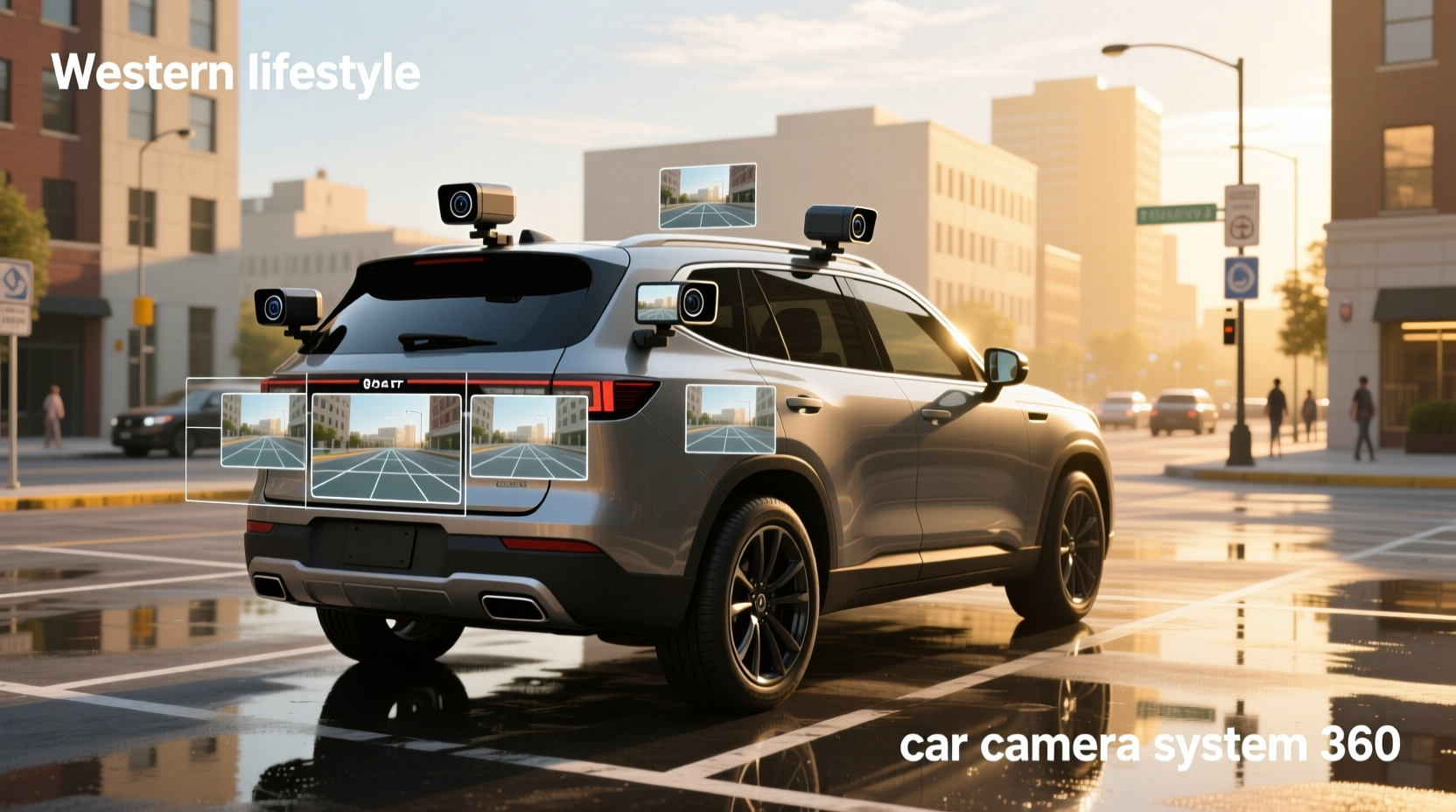
🚗 A car camera system 360 provides drivers with a complete bird’s-eye view of their vehicle’s surroundings by stitching together footage from multiple wide-angle cameras. This technology, often called a surround-view or 360-degree parking assist system, is increasingly standard in modern SUVs and luxury vehicles—but can also be added aftermarket. Whether you’re navigating tight parking spots, avoiding curbs, or monitoring blind zones, a 360 camera setup significantly improves spatial awareness and reduces collision risks during low-speed maneuvers.
This guide breaks down everything you need to know about 360 car camera systems: how they work, key components, benefits and limitations, installation considerations, compatibility issues, and real-world use cases. We’ll also clarify common misconceptions—like whether these systems record continuously or function when the car is off—and help you decide if upgrading makes sense for your driving needs.
How a 360-Degree Car Camera System Works
A 360 car camera system uses four or more ultra-wide-angle (typically 180°+) cameras mounted on the front grille, rear tailgate, and side mirrors or fenders. These cameras capture overlapping views around the vehicle. Advanced software then stitches the feeds into a seamless top-down perspective, simulating an overhead view as if seen from a drone.
The composite image is displayed on the car’s infotainment screen, often overlaid with dynamic guidance lines that adjust based on steering angle. Some systems allow users to switch between viewing angles—such as front, rear, side curb views, or split-screen modes—for greater flexibility during parking or trailering.
This process relies on precise calibration and synchronization between cameras. Any misalignment—due to impact, poor installation, or dirt buildup—can distort the stitched image, leading to inaccurate distance perception.
Main Components of a 360 Camera Setup
Understanding the core elements helps evaluate system quality and compatibility:
- Cameras (Front, Rear, Left, Right): Usually waterproof dome-style units with wide lenses. Image resolution varies; higher-end models offer HD (720p) or Full HD (1080p), though some newer systems support 4K input.
- Video Processing Unit (VPU): The brain of the system. It receives raw video signals, corrects lens distortion, and performs real-time image stitching using algorithms.
- Display Interface: Integrated into factory head units or standalone monitors. Must support sufficient resolution and refresh rate to avoid lag.
- Wiring Harness: Connects all cameras to the VPU. Requires careful routing through doors, fenders, and firewall passages.
- Sensors Integration: Many 360 systems sync with parking sensors. Visual cues change color (e.g., green/yellow/red) based on proximity to obstacles.
Aftermarket kits may include additional features like loop recording, GPS tagging, or Wi-Fi connectivity for mobile app viewing, blurring the line between driver assistance and dash cam functionality.
Differences Between Factory-Installed vs. Aftermarket Systems
Not all 360 camera systems are created equal. Key distinctions affect performance, reliability, and usability.
| Feature | Factory-Installed | Aftermarket |
|---|---|---|
| Integration | Tightly integrated with OEM infotainment and vehicle data (speed, steering angle) | Limited integration; often works independently |
| Calibration | Automatically calibrated via dealership tools | Manual or semi-automatic setup required |
| Build Quality | Weather-sealed, durable components matched to vehicle design | Varies widely; lower-cost units may degrade faster |
| Activation | Auto-activates when shifting into reverse; optional manual trigger | Typically activates only in reverse unless upgraded |
| Recording Capability | Rarely records; designed for real-time viewing only | Some models offer internal storage or microSD cards for incident logging |
📌 While factory systems offer superior seamlessness, many drivers opt for aftermarket solutions due to cost savings or retrofitting older vehicles. However, DIY installations require technical skill and patience to route wiring safely and align cameras correctly.
Can a 360 Car Camera System Record When the Car Is Off?
❌ Generally, no. Most 360 camera systems—including OEM versions—are not designed for continuous recording. They activate primarily during low-speed maneuvers (like parking) and shut down when the engine turns off.
This differs from dedicated dash cams with parking mode, which use motion detection or impact sensors to record while parked. Those typically rely on hardwiring to the car’s battery with voltage protection to prevent drain.
If you're searching for “car cameras that record 24/7” or “security camera for car while parked,” a 360 system alone won’t meet that need. Instead, consider combining it with a dual-channel dash cam that includes front and cabin-facing recording, plus parking surveillance mode.
Common Use Cases and Driving Scenarios
📍 The primary value of a 360 camera system lies in specific scenarios where visibility is limited:
- Tight Urban Parking: See curbs, poles, and adjacent vehicles clearly without guesswork.
- Off-Road Trail Navigation: Monitor wheel position relative to rocks, ditches, or drop-offs.
- Trailer Hitching: Align hitch ball with receiver using rear and side views.
- Driving in Crowded Areas: Watch for pedestrians, cyclists, or shopping carts near blind spots.
- Narrow Driveways or Gates: Judge clearance on both sides simultaneously.
However, these systems have limits. They don’t replace mirrors or physical checks, especially at higher speeds. Also, extreme weather—like heavy rain, snow cover, or mud on lenses—can obstruct views and reduce effectiveness.
Installation Challenges and Compatibility Issues
🔧 Adding a 360 system to a vehicle not originally equipped with one involves several hurdles:
- Camera Placement: Side cameras must be positioned high enough to avoid damage but low enough to see curbs. Mirror-mounted units are common but may not suit all mirror shapes.
- Wiring Access: Running cables from rear and side cameras through door jams and under trim requires disassembly and care to avoid damaging interior panels.
- Power Source: Systems usually draw power when ignition is on. For parking activation, integration with reverse light circuits or constant +12V lines is needed.
- Screen Compatibility: Aftermarket displays must match the vehicle’s existing dashboard layout and video input type (e.g., RCA, HDMI, LVDS).
- Steering Angle Sensor Sync: To display accurate trajectory lines, the system may need access to CAN bus data, which varies by make and model.
For complex integrations, professional installation is recommended. Misaligned cameras lead to distorted views, increasing driver confusion rather than reducing it.
Do 360 Camera Systems Improve Safety?
✅ Yes—but with caveats. Studies suggest that surround-view systems reduce low-speed collisions and parking-related damage 1. By eliminating blind zones immediately around the vehicle, they help prevent scrapes, dings, and minor accidents common in parking lots.
Yet, overreliance on cameras can create complacency. Drivers may neglect shoulder checks or assume the system detects moving objects—most don’t track fast-moving vehicles or small animals beyond a few feet.
Additionally, nighttime performance depends heavily on camera sensitivity and available ambient light. Incomplete IR illumination or poor low-light processing can leave dark areas unmonitored.
Misconceptions About 360 Car Camera Systems
❗ Several myths persist among consumers:
- Myth: It’s the same as a dash cam. Reality: Dash cams record driving events; 360 systems provide real-time visualization. Only some hybrid models do both.
- Myth: Automatically records everything. Reality: Most lack built-in storage. Footage isn’t saved unless paired with a DVR module.
- Myth: Works perfectly in all weather. Reality: Snow, ice, or road grime on lenses severely impairs visibility. Regular cleaning is essential.
- Myth: Replaces the need to look around. Reality: Cameras supplement—not substitute—for active observation.
Key Buying Considerations If Upgrading
If you're considering adding a 360 camera system, ask these questions before purchasing:
- Is my vehicle compatible? Check for pre-wired harnesses or camera mounting points (common in higher trims).
- Does it support my screen size and resolution? Mismatched specs result in blurry or cropped images.
- Can it integrate with existing sensors? Matching parking sensors enhances feedback.
- What is the warranty and support policy? Look for at least one-year coverage and accessible technical help.
- Are replacement parts available? Individual camera failure shouldn’t mean replacing the entire kit.
Also, verify whether the system supports firmware updates, which can improve image quality or add features over time.
Alternatives and Complementary Technologies
While 360 systems excel at close-range visibility, other tools address different needs:
- Front and Rear Dash Cams: Record incidents for insurance purposes. Some offer parking mode with motion detection.
- Rear-View Backup Cameras: Simpler and cheaper; adequate for basic reversing tasks.
- Blind Spot Monitoring (BSM): Radar-based alerts for vehicles in adjacent lanes at speed.
- Ultrasonic Parking Sensors: Audible warnings complement visual systems.
For comprehensive protection, combine a 360 system with a front-rear dash cam that has low-power parking recording—a setup gaining popularity among fleet operators and urban drivers.
Maintenance and Long-Term Reliability
🧼 Like any electronic system, 360 camera setups require upkeep:
- Clean lenses regularly with non-abrasive wipes to maintain clarity.
- Inspect wiring during routine maintenance for chafing or moisture ingress.
- Re-calibrate after tire changes or suspension work, as geometry shifts affect camera alignment.
- Update software when available to fix bugs or improve stitching accuracy.
Over time, exposure to UV rays, temperature swings, and vibration can degrade camera housings or connectors. Choosing IP67-rated or better components increases longevity.
Frequently Asked Questions (FAQs)
- Can a car camera system 360 record video continuously?
- No, most 360 systems are designed for real-time viewing only and do not save footage. For continuous recording, pair the system with a dedicated dash cam that supports loop recording and parking mode.
- Is a 360 camera system worth it for older cars?
- It can be beneficial if you frequently park in tight spaces or tow trailers. However, weigh the installation complexity and cost against simpler alternatives like backup cameras or sensor kits.
- How long can a car camera record when the car is off?
- Depends on the dash cam model and power source. With a hardwired battery capacitor or low-voltage cutoff, some systems can record for hours in parking mode without draining the battery.
- What’s the downside of a dashcam?
- Potential battery drain if improperly installed, limited field of view compared to 360 systems, and legal restrictions on audio recording in some regions.
- Can I install a 360 car camera system myself?
- Yes, if you have experience with automotive electronics and wiring. However, incorrect calibration can lead to misleading visuals, so professional installation is advised for optimal results.





 浙公网安备
33010002000092号
浙公网安备
33010002000092号 浙B2-20120091-4