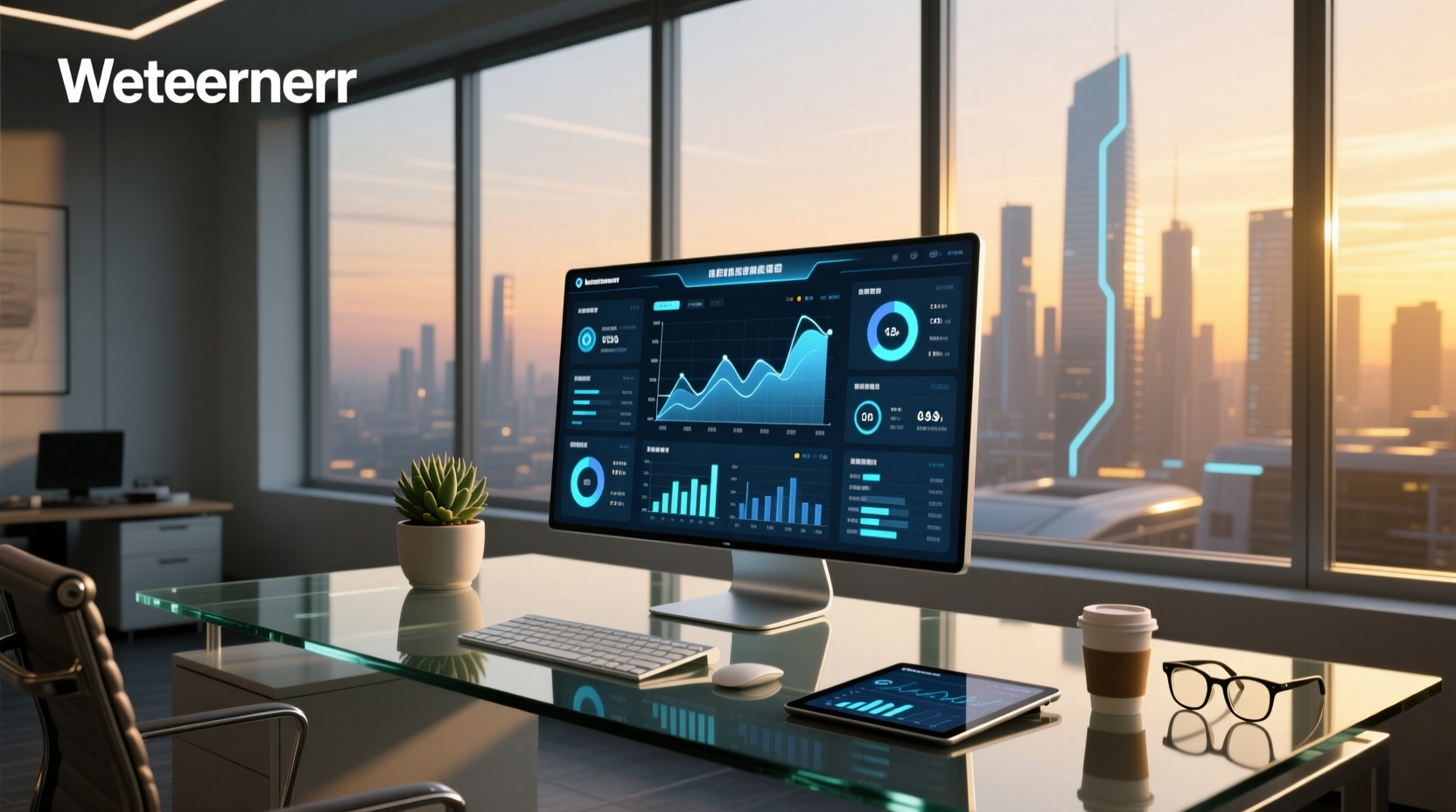
Digital dashboard displays are transforming how drivers interact with vehicle data, offering customizable interfaces, real-time performance metrics, and enhanced aesthetics over traditional analog gauges. Whether you're upgrading a classic car or integrating advanced telemetry into a modern build, understanding digital dashboard display systems—their functionality, compatibility, and practical trade-offs—is essential for making an informed decision. This guide breaks down everything from core features and installation challenges to cost ranges and common misconceptions, helping you evaluate if a digital dash suits your needs.
What Is a Digital Dashboard Display?
A digital dashboard display replaces traditional mechanical instrument clusters (speedometer, tachometer, fuel gauge) with a fully electronic screen that renders readings using software-driven graphics. Unlike hybrid setups that combine analog needles with digital info screens, a true digital dashboard operates entirely through a pixel-based interface, often resembling a high-resolution tablet embedded behind the steering wheel 📊.
These systems vary in size (typically 7–12 inches), resolution, and customization options. They can show standard vehicle data like speed and RPMs, but also expand to include GPS navigation, engine diagnostics, lap timing, audio controls, and even smartphone integration. Some models support multiple user-defined layouts, allowing drivers to switch between minimalist, performance-focused, or full-data views depending on driving conditions ⚙️.
Why Are Digital Dashboards Gaining Popularity?
The rise of digital dashboard displays correlates with broader trends in automotive electronics and personalization. Enthusiasts and restorers of classic vehicles are among the primary adopters because these systems allow modern instrumentation without compromising original dashboard aesthetics ✨.
- Customization: Users can change themes, fonts, color schemes, and widget arrangements.
- Data Expansion: Beyond factory gauges, digital dashes can display oil pressure, EGT, battery voltage, G-forces, and OBD-II live data.
- Retrofit Compatibility: Many units are designed as direct replacements for OEM clusters in older vehicles (e.g., 1965–1979 Chevys, Ford Broncos).
- Future-Proofing: Software updates can add new features post-purchase, unlike fixed analog dials.
However, popularity doesn’t equate to universal suitability. While they offer technological advantages, digital dashboards come with unique limitations—including complexity, potential reliability concerns, and integration hurdles—that must be weighed carefully.
Types of Digital Dashboard Displays
Not all digital dashboards function the same way. Understanding the categories helps align expectations with technical reality.
Aftermarket Full Digital Clusters
These replace the entire instrument panel and are commonly used in restoration or custom builds. Brands like Dakota Digital and AutoMeter offer kits tailored to specific vehicle platforms 🏭. They often retain the original housing but install a new circuit board and LCD/LED display behind it. These systems usually require separate sensors and wiring harnesses to pull data from the engine and transmission.
OEM-Style Replacements
Some companies produce drop-in digital replacements that mimic factory designs but enhance readability and functionality. For example, a Tesla-style vertical touchscreen isn’t typical here; instead, these aim to look stock while delivering superior clarity and diagnostics ✅.
Standalone HUDs (Heads-Up Displays)
While not replacing the main cluster, some digital dash solutions project critical information onto the windshield or a small transparent screen above the dash. These are simpler to install and often used alongside existing gauges. However, they lack full cluster replacement capabilities 🔍.
Programmable Racing Dashes
Used primarily in motorsports, these high-end units (like Racepak IQ3 or Haltech uC-10) provide extreme data logging, shift lights, GPS mapping, and connectivity with ECUs. They’re built for track use and typically require professional calibration and mounting 🚗.
Key Features to Evaluate Before Buying
When comparing digital dashboard display options, several technical and practical factors determine long-term satisfaction.
Display Quality and Visibility
Resolution, brightness, and viewing angles matter significantly. A low-brightness screen may wash out in sunlight, while poor contrast reduces nighttime legibility. Look for at least 800×480 resolution and adjustable backlighting. IPS panels generally perform better than TN-type displays under varying lighting conditions 🌐.
Vehicle Compatibility
Check whether the unit supports your vehicle’s year, make, and model—or if it requires universal configuration. Some digital dashes work only with certain ECU types (e.g., CAN bus protocol), which limits their use in pre-1996 vehicles unless additional signal converters are added ⚠️.
Sensor Requirements
Analog-to-digital conversion isn’t automatic. Most digital dashboards need external senders for speed, temperature, fuel level, etc. If your vehicle lacks modern sensors, you’ll need to install them separately—a hidden cost and labor factor 🧰.
User Interface and Customization
Can you easily switch between screens? Does it support touch input or physical buttons? Touchscreens may seem intuitive but can be unsafe while driving. Button-controlled interfaces remain preferred for safety and reliability during motion ⏱️.
Connectivity Options
Advanced models support Bluetooth, Wi-Fi, or USB for firmware updates and smartphone mirroring. Some integrate with GPS modules for navigation overlays or track maps. Consider whether these extras add value or unnecessary complexity for your use case.
Reliability and Support
Digital components are more susceptible to heat, vibration, and moisture than mechanical gauges. Check warranty terms and manufacturer support availability. Units with sealed housings and conformal-coated PCBs tend to last longer in harsh environments 🔧.
Installation: What You Need to Know
Installing a digital dashboard display is rarely plug-and-play, especially outside factory-supported applications. Here’s what most users underestimate:
Wiring Complexity
You’ll likely need to run new wires from the engine bay to the dash for sensor inputs, power, ground, and communication lines. Miswiring can damage the unit or cause erratic behavior. Use a multimeter and follow diagrams precisely. If unsure, consult a professional installer 🛠️.
Calibration Process
After physical installation, calibration ensures accuracy. Speedometers must sync with tire size and differential ratio; fuel gauges need float arm range settings. Many systems walk you through this via menu prompts, but incorrect values lead to misleading readouts ❗.
Integration with Factory Systems
In modern cars, replacing the digital cluster may interfere with ADAS functions (lane departure, adaptive cruise). In older vehicles, integrating turn signals, hazard lights, or headlamp indicators requires relays or logic adapters. Don’t assume full compatibility without testing.
Cost Breakdown: What to Expect
Pricing varies widely based on brand, screen size, and feature set:
| Category | Price Range (USD) | Typical Use Case |
|---|---|---|
| Entry-Level Aftermarket | $350–$600 | Classic car retrofit with basic digital readouts |
| Mid-Tier Programmable | $600–$1,200 | Enthusiast builds with custom layouts and extra sensors |
| Premium Racing Dashes | $1,200–$2,500+ | Track vehicles with data logging and ECU integration |
| DIY Raspberry Pi Solutions | $200–$400 | Hobbyists comfortable with coding and hardware assembly |
Note: Labor costs for professional installation can add $200–$500 depending on vehicle complexity. Also, consider ongoing expenses such as replacement fuses, updated firmware tools, or spare sensors.
Pros and Cons of Digital Dashboard Displays
Before committing, weigh the following advantages and drawbacks.
Advantages ✅
- Modern Look: Enhances interior appeal, especially in vintage vehicles.
- Expandable Data: Can monitor turbo boost, nitrous engagement, or EV battery stats.
- Ease of Recalibration: Adjust for gear changes or tire sizes via software, not hardware swaps.
- Diagnostic Alerts: Built-in warnings for overheating, low oil pressure, or system faults.
Disadvantages ❌
- Single Point of Failure: If the screen fails, all gauges go dark—no redundancy.
- Learning Curve: Menu navigation and setup take time, especially for non-tech-savvy users.
- Glare and Reflections: Poorly positioned screens can reflect sunlight or interior lights.
- Resale Impact: Purists may devalue modified originals; some collectors prefer untouched interiors 👥.
Common Misconceptions About Digital Dashboards
Several myths persist about digital dashboard displays that influence buyer decisions incorrectly.
Myth 1: 'It Works Like a Smartphone'
While interfaces resemble mobile apps, automotive environments demand robustness. Consumer-grade touch responsiveness doesn't translate well to vibrating cabins or cold starts.
Myth 2: 'Any Car Can Be Upgraded Easily'
Vehicles without CAN bus networks require extensive rewiring and standalone sensor suites. Retrofitting a 1970s muscle car involves far more effort than upgrading a 2010 sedan.
Myth 3: 'They Increase Resale Value'
Only in niche markets (e.g., resto-mods). Originality still holds premium value in collector circles. A digital upgrade might deter OEM-condition buyers.
Myth 4: 'They're More Accurate by Default'
Digital doesn’t mean accurate. Calibration depends on correct input signals. A poorly calibrated digital speedo can be off by 5+ mph, just like an old analog one.
Alternatives to Full Digital Replacements
If a complete digital dashboard feels excessive, consider these alternatives:
- Hybrid Gauges: Retain analog needles but drive them via stepper motors controlled digitally (e.g., Dakota Digital VHX series).
- Add-On Displays: Mount a small auxiliary screen for oil temp, boost, or AFR without touching the main cluster.
- HUD Add-ons: Devices like Navdy or aftermarket heads-up projectors overlay speed and navigation data safely.
- OBD-II Scanners with Apps: Pair a Bluetooth OBD2 dongle with a phone/tablet mount for real-time engine data.
Each option balances functionality, cost, and invasiveness differently. Assess how much data you actually need versus want.
Tips for Choosing the Right Digital Dashboard
To avoid regret after purchase, follow these guidelines:
- Define Your Goal: Are you restoring a classic, building a track car, or just wanting modern looks? Match the product to purpose.
- Verify Compatibility: Confirm ECU, sensor, and voltage requirements before ordering.
- Read Real User Reviews: Focus on long-term feedback regarding screen burn-in, boot times, or software bugs.
- Test Before Finalizing: If possible, bench-test the unit with known-good sensors prior to full installation.
- Plan for Upgrades: Choose a system with available expansion ports or future firmware roadmap.
Final Thoughts: Is a Digital Dashboard Right for You?
A digital dashboard display offers undeniable appeal in terms of technology and flexibility. But it's not a one-size-fits-all upgrade. It makes sense when you prioritize data access, personalization, or modernizing an older vehicle’s cockpit. However, if simplicity, reliability, or preserving originality matters most, sticking with analog—or opting for a hybrid solution—might be wiser.
Ultimately, success hinges on research, realistic expectations, and attention to detail during installation. Take time to understand your vehicle’s electrical architecture, define your usage scenario clearly, and choose a system backed by solid documentation and community support.
Frequently Asked Questions
- Can I install a digital dashboard in a classic car?
- Yes, but it requires adding modern sensors (speed, temp, fuel) and possibly a standalone harness. Kits exist for popular platforms like GM A-body or Ford Mustangs, simplifying integration.
- Do digital dashboards work with manual transmissions?
- Yes, provided the necessary sensors (vehicle speed sensor, clutch position if needed) are installed and compatible with the dash’s input requirements.
- Are digital instrument clusters reliable long-term?
- They can be, but depend heavily on build quality and operating environment. Sealed units from reputable brands tend to last longer than budget imports exposed to heat and vibration.
- Will a digital dashboard drain my battery?
- Most draw minimal power (under 5 amps), similar to factory clusters. However, leaving the ignition on accessory mode for hours could contribute to discharge over time.
- Can I customize the look of my digital dash?
- Most mid-to-high-end models allow layout changes, color themes, font sizes, and gauge styles. Entry-level units may have limited preset options.





 浙公网安备
33010002000092号
浙公网安备
33010002000092号 浙B2-20120091-4