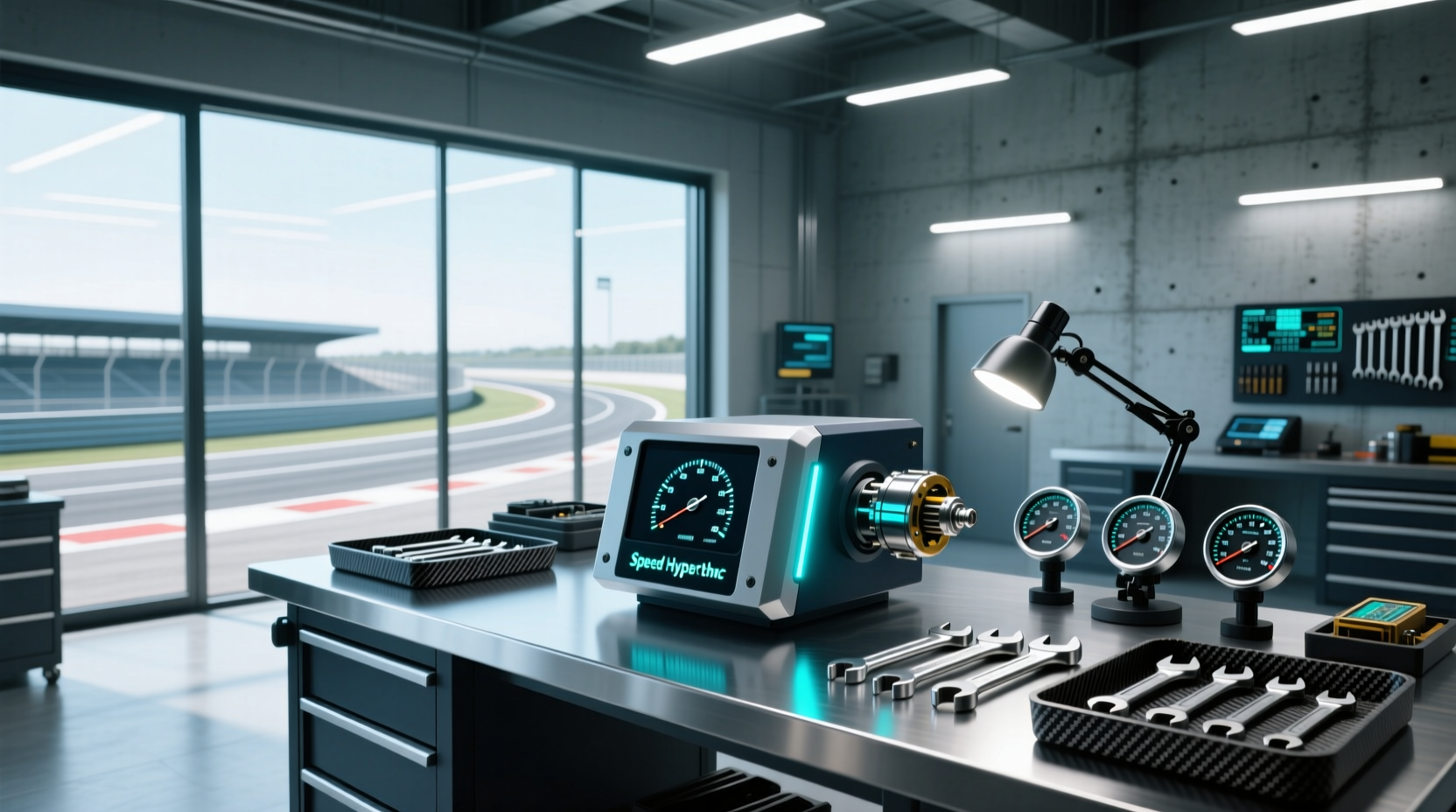
🔧 If you've recently upgraded your truck or SUV with larger tires or changed axle gear ratios, you're likely facing inaccurate speedometer and odometer readings. The Hypertech speedometer calibrator is a widely used solution designed to correct these discrepancies by reprogramming your vehicle’s electronic control module (ECM) or body control module (BCM). This recalibration ensures that your speedometer, cruise control, and transmission shift points remain accurate—critical for safety, legal compliance, and fuel efficiency. In this comprehensive guide, we’ll walk through how the Hypertech speedometer recalibration programmer works, when it’s needed, installation best practices, compatibility considerations, and how it compares to alternative calibration tools like Rough Country SpeedCal or FORScan-based methods.
Why Speedometer Calibration Matters After Modifications
When you change tire diameter or rear axle gear ratios, the number of wheel rotations per mile changes. Factory programming assumes original equipment specifications, so deviations lead to incorrect speed readings. For example, installing 35-inch tires on a truck originally equipped with 33-inch tires results in the wheels rotating fewer times per mile. Your vehicle’s computer still calculates speed based on the factory tire size, making your speedometer read slower than your actual speed—sometimes by as much as 5–10%.
This isn't just a numerical error. ❗ An inaccurate speedometer can result in unintentional speeding tickets, incorrect odometer logging (affecting resale value), and poorly timed transmission shifts. Additionally, adaptive cruise control, traction control systems, and stability control rely on accurate wheel speed data. Misaligned readings can degrade their performance or trigger false warnings.
What Is the Hypertech Speedometer Calibrator?
The Hypertech speedometer recalibration programmer (such as models 752501 or 742502T) is a handheld tuning device specifically engineered to adjust the speed signal sent from the vehicle’s ABS or PCM to the instrument cluster. Unlike generic OBD2 scanners, it allows precise input of new tire circumference and gear ratio values, enabling permanent correction without splicing wires or adding external modules.
⚙️ Key features commonly found in Hypertech speedometer programmers include:
- ✅ Recalibrates both speedometer and odometer
- ✅ Supports multiple tire sizes and gear ratios
- ✅ Retains factory calibration settings for easy rollback
- ✅ Reads and clears diagnostic trouble codes (DTCs)
- ✅ Compatible with select Ford, GM, Dodge/Chrysler, and Jeep models
Unlike plug-and-play adapters that only modify sensor signals, the Hypertech tool communicates directly with the vehicle’s onboard computer via the OBD2 port, writing new parameters into memory. This makes it more reliable than inline signal modifiers, which may interfere with other ECUs or fail under certain driving conditions.
Common Use Cases: When Do You Need a Speedometer Calibrator?
📌 Installing oversized tires is the most frequent reason drivers seek out a speedometer calibrator. However, there are several scenarios where recalibration becomes essential:
| Scenario | Impact on Speed Reading | Recommended Action |
|---|---|---|
| Larger aftermarket tires | Speedometer reads low (e.g., 55 mph shown at actual 60 mph) | Use Hypertech calibrator to update tire circumference |
| Smaller replacement tires | Speedometer reads high | Reprogram to reflect smaller diameter |
| Rear axle gear swap (e.g., 3.21 → 4.10) | Alters final drive ratio; affects speed sensor output | Update gear ratio setting in ECU/BCM |
| Lift kit altering driveline angles | Indirect effect due to tire clearance changes | Only if tire size changed |
| Replacement of ABS module or speed sensor | Potential mismatch in signal frequency | Verify calibration post-repair |
Compatibility: Will It Work With My Vehicle?
Not all vehicles support external recalibration through an OBD2 programmer. ✅ The Hypertech speedometer calibrator works primarily with late-model trucks and SUVs from American manufacturers, including:
- Ford F-150, Super Duty (2004–present, varies by model)
- Chevrolet Silverado, GMC Sierra (2007–2023)
- Dodge Ram 1500/2500/3500 (2009–2024)
- Jeep Wrangler JK, JL, Grand Cherokee
🔍 Before purchasing, verify compatibility using the manufacturer’s lookup tool or consult your VIN-specific service manual. Some older models require physical modification or cannot be recalibrated without dealer-level software. Additionally, diesel engines and heavy-duty variants may have different calibration protocols.
For example, many 2019+ Ram 1500 owners use third-party apps like AlphaOBD alongside bypass cables instead of standalone devices like Hypertech 1. While effective, these solutions often lack the durability and warranty support of branded tools.
Step-by-Step Installation Process
Installing the Hypertech speedometer recalibration programmer is straightforward but requires attention to detail. Follow these steps to ensure success:
- Prepare Your Vehicle: Park on level ground, turn off the engine, and ensure the battery is fully charged. A weak battery during programming can corrupt the ECU and cause starting issues.
- Locate the OBD2 Port: Typically found under the dashboard near the steering column. Ensure no other devices are plugged in.
- Connect the Device: Plug the Hypertech programmer into the OBD2 port. Power on the unit.
- Select Vehicle Model: Navigate the menu to choose make, model, year, and engine type. Double-check accuracy.
- Enter New Tire Size: Input the exact tire diameter or circumference. Use a tape measure or refer to manufacturer specs (e.g., 33x12.5R17 = ~33 inches).
- Input Gear Ratio (if applicable): If you’ve changed rear gears, enter the new ratio (e.g., 4.56:1).
- Write Calibration Data: Confirm settings and allow the device to write new values. This process takes 2–5 minutes.
- Test Drive and Verify: Drive at highway speeds and compare GPS-based speed (via smartphone or Garmin) to the dashboard reading.
⏱️ Total time required: Approximately 15–30 minutes. No special tools needed beyond the programmer itself.
Accuracy Verification: How to Test Your Results
After calibration, it's crucial to validate accuracy. 🌐 Use a GPS-based speed source such as Google Maps, Waze, or a dedicated GPS receiver. Drive on a straight, flat road at a constant speed (e.g., 60 mph) and observe any variance between the displayed speed and GPS speed.
A difference of ±1 mph is considered acceptable. Greater discrepancies suggest either incorrect inputs (wrong tire diameter), incomplete programming, or incompatible hardware. Recheck your entries and repeat the process if necessary.
Some users report needing multiple attempts due to intermittent communication errors. Ensuring a stable power supply and avoiding electrical interference (e.g., CB radios, inverters) improves reliability.
Comparison With Alternative Calibration Methods
While the Hypertech speedometer calibrator is popular, several alternatives exist. Each has trade-offs in cost, complexity, and long-term reliability.
| Solution | Pros | Cons | Best For |
|---|---|---|---|
| Hypertech Programmer | Direct ECU programming, durable, supports DTC reading | Higher upfront cost, limited model support | One-time upgrade users wanting permanence |
| Rough Country SpeedCal | Universal fit, easy install, affordable | Signal modification may confuse ADAS systems | Budget builds, temporary setups |
| FORScan (Free Software + Adapter) | Highly customizable, free software, real-time tuning | Steeper learning curve, risk of misconfiguration | Tech-savvy DIYers comfortable with ECUs |
| Dealer Reprogramming | Factory-approved, full system integration | Expensive ($150+), limited flexibility | Warranty-sensitive owners |
| HealTech SpeedoHealer (SH) | Analog signal correction, excellent for motorcycles | Outdated tech, not suitable for modern CAN-bus vehicles | Older trucks or bikes with mechanical gauges |
📌 Note: Some tuners like ECRI OBD2 programmers offer broader functionality beyond speedometer adjustment—including fog light activation, TPMS disable, and throttle response tuning—but may not be compatible with every vehicle 2.
Limitations and Common Pitfalls
Despite its advantages, the Hypertech speedometer calibrator has limitations:
- ❗ Model-Specific Support: Not all vehicles are supported. Always confirm compatibility before purchase.
- ❗ No Performance Tuning: Unlike full flash programmers, it does not increase horsepower or torque.
- ❗ Single Parameter Focus: Primarily adjusts speed and distance metrics—not transmission shift points or throttle mapping.
- ❗ Firmware Updates Required: Older units may need updates to support newer vehicle models.
Additionally, some users mistakenly believe that entering nominal tire size (e.g., “33”) is sufficient. However, actual loaded rolling diameter varies by brand, tread depth, and inflation pressure. Measuring the tire under load yields better results.
Maintenance and Long-Term Reliability
Once programmed, the calibration remains until another change is made. There’s no ongoing maintenance required. However, if you switch back to stock tires or replace the PCM/BCM, you’ll need to reprogram again.
The Hypertech device itself is built for repeated use across multiple vehicles (within supported makes). Store it in a dry place away from extreme temperatures. Regular firmware checks via the manufacturer website help maintain compatibility.
Legal and Safety Considerations
Inaccurate speedometers violate federal and state regulations in the U.S. and EU. While modifying tire size is legal, operating a vehicle with knowingly incorrect instrumentation can lead to liability in case of accidents.
🔧 Recalibrating your speedometer restores compliance and ensures driver awareness. It also preserves the integrity of advanced driver assistance systems (ADAS), which depend on accurate speed data for lane keeping, automatic braking, and blind-spot detection.
Cost vs. Value: Is It Worth It?
Priced between $200–$300, the Hypertech speedometer recalibration programmer sits at the premium end of the market. However, considering labor costs at dealerships ($100–$200 per hour) and the permanence of the fix, it pays for itself after one or two uses.
👥 For enthusiasts managing multiple vehicles or frequent modifications, the investment makes sense. Casual upgraders might prefer loaning a unit from a local shop or using mobile calibration services.
Where to Buy and Warranty Support
The Hypertech speedometer calibrator is available through authorized automotive performance retailers and specialty truck outfitters. Look for sellers offering technical support and return policies. Most units come with a limited lifetime warranty against defects.
Avoid third-party resellers without verification, as counterfeit or outdated versions exist. Check the official Hypertech website for distributor listings and firmware downloads.
Final Thoughts: Making the Right Choice
Upgrading your vehicle’s tires or gears shouldn’t compromise accuracy or safety. The Hypertech speedometer recalibration programmer offers a reliable, permanent solution for correcting speedometer and odometer errors caused by physical modifications. By directly updating the vehicle’s internal calculations, it avoids the drawbacks of signal-altering devices and provides peace of mind on every drive.
Before proceeding, assess your vehicle’s compatibility, gather accurate tire measurements, and understand the programming process. Whether you’re a weekend warrior or a daily driver with lifted suspension, proper calibration keeps your ride safe, legal, and functioning as intended.
Frequently Asked Questions
Can I use the Hypertech speedometer calibrator on multiple vehicles?
Yes, provided they are within the supported list of makes and models. The device retains settings and can be reused across compatible trucks and SUVs.
Does recalibrating the speedometer affect my transmission shifting?
Indirectly, yes. Modern automatic transmissions use vehicle speed as one input for shift timing. Accurate calibration helps maintain optimal shift points after tire or gear changes.
Will my fuel economy readings improve after calibration?
Not directly. However, corrected speed data allows the computer to calculate MPG more accurately, giving you a true picture of fuel consumption.
Do I need to recalibrate after rotating my tires?
No. Tire rotation doesn’t change overall diameter or gear ratio, so recalibration isn’t necessary unless wear has significantly altered rolling circumference over time.
Can I revert to factory settings later?
Yes. Most Hypertech programmers store the original factory calibration and allow you to restore it at any time through the menu system.





 浙公网安备
33010002000092号
浙公网安备
33010002000092号 浙B2-20120091-4