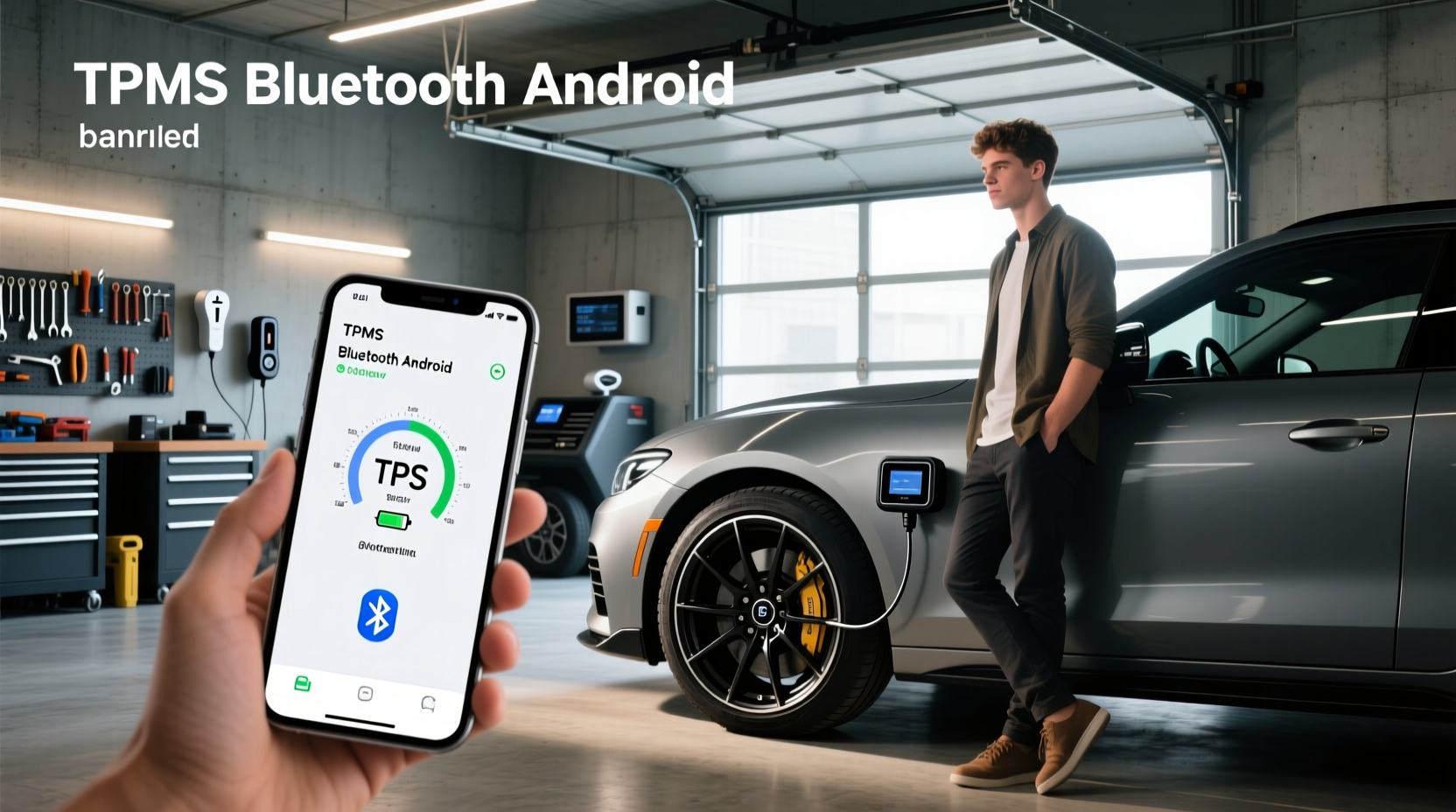
For drivers using Android smartphones, connecting a Bluetooth TPMS (Tire Pressure Monitoring System) offers real-time visibility into tire health—helping prevent blowouts, improve fuel efficiency, and extend tire life. Unlike built-in OEM systems that only alert when pressure is critically low, aftermarket Bluetooth TPMS for Android provides continuous monitoring through a dedicated app, often with customizable alerts, temperature readings, and historical data tracking. This guide explains how these systems work, what to look for when choosing one, and how to set it up correctly on your Android phone.
What Is a Bluetooth TPMS and How Does It Work?
A Bluetooth TPMS consists of wireless sensors mounted on each wheel—either inside the valve stem (internal) or attached externally—and an app running on your Android device that receives and displays pressure and temperature data via Bluetooth Low Energy (BLE). These systems operate independently of your vehicle’s factory-installed TPMS, making them ideal for older vehicles without monitoring capabilities or for those seeking more detailed insights than standard dash warnings provide.
The core components include:
- Pressure Sensors: Measure PSI or kPa in real time; some also report temperature 🌡️
- Bluetooth Module: Transmits data from sensors to your phone every few seconds ⚡ \li> Mobile App: Displays live readings, logs history, and sends push notifications if thresholds are breached 🔔
Most modern Bluetooth TPMS kits support both iOS and Android platforms, but compatibility should always be verified before purchase, especially regarding OS version requirements and sensor pairing protocols.
Why Choose a Bluetooth TPMS Over Factory Systems?
Factory TPMS systems were mandated in many regions (like the U.S. under FMVSS 138) starting in 2008, but they have limitations:
- Only trigger a warning light when pressure drops 25% below recommended levels ❗
- No real-time display of actual pressure values 📊
- Limited diagnostic information beyond “low pressure” alerts 🔍
- Difficult and expensive to reprogram or replace sensors after service
In contrast, a Bluetooth-enabled TPMS for Android gives users granular control:
- View exact pressure (e.g., 34.7 PSI) and temperature (°F or °C) per tire ✅
- Set custom high/low thresholds based on driving conditions or load ✨
- Receive instant alerts via phone notification—even when parked 📱
- Track trends over time to detect slow leaks or seasonal changes 📈
This level of detail is particularly valuable for RV owners, fleet operators, long-haul truckers, and off-road enthusiasts who rely on optimal tire performance across varying terrains and climates.
Key Features to Look for in a TPMS Bluetooth System for Android
Not all Bluetooth TPMS solutions offer the same functionality. When evaluating options, consider these critical factors:
1. Sensor Type: Internal vs External
| Feature | Internal Sensors | External Sensors |
|---|---|---|
| Installation | Requires tire dismounting; professional help recommended 🔧 | Screw directly onto valve stems; DIY-friendly 🛠️ |
| Durability | Protected from impacts and weather; longer lifespan 🏭 | Exposed to debris, theft, and corrosion; may need replacement sooner |
| Aesthetics | Clean look; invisible once installed ✅ | Visible caps; can affect wheel appearance |
| Accuracy | Generally higher due to stable mounting position | Good for most uses but prone to vibration errors |
For casual users or temporary setups (e.g., rental fleets), external sensors offer convenience. For permanent, reliable monitoring—especially on heavy-duty vehicles—internal sensors are preferred.
2. App Compatibility and Functionality
The mobile app is the interface between you and your tires. Ensure the manufacturer offers a fully functional Android app available on the Google Play Store. Key features to verify:
- Supports Android 8.0 or later (common minimum requirement) 📱
- Uses Bluetooth Low Energy (BLE 4.0+) for power-efficient connectivity ⚙️
- Allows renaming tires (e.g., 'Front Left') for easier identification 📍
- Enables calibration or zeroing after tire rotation 🔄
- Provides audible and visual alerts within the app and via system notifications 🔊
Some apps, like SensAiry 1, integrate with third-party hardware and allow multiple vehicle profiles, which is useful for families or businesses managing several vehicles.
3. Battery Life and Replaceability
Internal sensors typically use non-replaceable lithium batteries lasting 3–5 years. Once depleted, the entire sensor must be replaced. External models sometimes use standard CR1632 or similar batteries that users can swap themselves, reducing long-term costs.
Check whether the product specifies battery type and expected lifespan. Systems advertising “10-year battery life” may refer to shelf life rather than operational duration—a common point of confusion.
4. Pressure Range and Temperature Monitoring
Ensure the TPMS supports your vehicle’s operating range. Passenger cars usually require 20–50 PSI, while trucks, SUVs, and RVs may exceed 80 PSI. Industrial or agricultural vehicles might need up to 1300 kPa (~188 PSI).
Temperature monitoring adds value by detecting friction-related heat buildup during extended highway driving or towing. A sudden spike can indicate alignment issues, overloading, or internal damage before a failure occurs.
5. Data Logging and Historical Trends
Advanced apps record pressure and temperature at intervals (e.g., every 5 minutes), allowing you to review trends after trips. This helps identify gradual leaks or understand how ambient temperature affects inflation overnight.
Data export options (CSV, PDF) are rare but beneficial for commercial fleets needing maintenance records.
How to Set Up a Bluetooth TPMS with Your Android Phone
Setting up a Bluetooth TPMS involves three main steps: installing sensors, downloading the app, and pairing devices.
Step 1: Install Sensors
For external sensors:
- Deflate each tire slightly to ease removal of existing valve caps.
- Screw on the new sensor hand-tight—do not overtighten to avoid damaging threads.
- Inflate back to recommended pressure using a calibrated gauge.
- Repeat for all four wheels (or six/seven for larger vehicles).
For internal sensors:
- Remove wheels or have a tire shop dismount each tire.
- Attach the sensor to the valve stem inside the rim.
- Reinstall and balance the tire properly.
- Ensure no air leaks at the base post-installation.
Step 2: Download and Configure the App
Search the Google Play Store for the companion app specified in your TPMS manual. Avoid third-party apps unless explicitly supported by the hardware manufacturer.
Upon first launch:
- Grant necessary permissions (Bluetooth, location*).
- Create a vehicle profile (optional).
- Enter recommended pressure settings per axle or individual tire.
- Enable notifications for low/high pressure and rapid drop detection.
*Note: On Android 6.0+, apps accessing Bluetooth LE must request location permission due to a system-level limitation—even though no GPS data is collected.
Step 3: Pair Sensors with Your Phone
Most systems auto-pair when sensors transmit their first signal. If not:
- Open the app and go to 'Add Sensor' or 'Pair Device'.
- Activate sensors by increasing tire pressure slightly or rotating the wheel.
- Wait for the app to detect each unit; confirm placement (e.g., assign 'Front Right').
- Save configuration.
Test the setup by manually deflating one tire slightly and verifying an alert appears within 30–60 seconds.
Common Issues and Troubleshooting Tips
Even well-designed systems can encounter problems. Here are frequent user-reported challenges:
Connection Drops or Delayed Alerts
If your Android phone fails to receive updates consistently:
- Ensure Bluetooth is enabled and the app runs in the background.
- Disable battery optimization for the TPMS app in Android settings.
- Keep the phone within 10–15 feet of the vehicle when monitoring live.
- Restart both the app and phone if syncing fails.
Sensor Not Detected
Possible causes:
- Battery dead or not activated (some require initial spin to wake).
- Incorrect pairing mode—check if the app requires manual initiation.
- Interference from metal rims or dual rear wheels shielding signal.
- Firmware mismatch—update app or check for sensor firmware upgrades.
Inaccurate Readings
Verify accuracy against a trusted digital gauge. If discrepancies persist:
- Recalibrate sensors via the app (if supported).
- Check for loose sensor installation (external types).
- Replace faulty units under warranty if within return period.
Can You Use Any Bluetooth Tire Pressure Sensor with Android?
No—not all sensors are universally compatible. While BLE is a standard protocol, manufacturers implement proprietary data formats and encryption. You cannot pair a Fobo-branded sensor with the SensAiry app unless explicitly stated.
Always confirm:
- The app lists your sensor model as supported.
- The manufacturer provides ongoing app updates.
- There’s customer support available for pairing issues.
Generic OBD-II-based TPMS adapters exist, but they read from the car’s internal system rather than direct tire sensors, limiting usefulness if your vehicle lacks OEM TPMS.
Are Bluetooth TPMS Systems Legal and Safe?
Yes, adding an aftermarket Bluetooth TPMS does not violate any laws in the U.S., EU, or most countries. It complements—not replaces—the factory system. However, tampering with or disabling the original TPMS may fail emissions or safety inspections in regulated areas.
From a safety standpoint, these systems enhance awareness and reduce risk. They do not interfere with vehicle electronics since they operate passively, receiving data only.
Best Practices for Long-Term Use
- Monthly Verification: Compare app readings with a handheld gauge to ensure consistency.
- Seasonal Adjustments: Check pressures more frequently during temperature swings (cold starts reduce PSI).
- Firmware Updates: Periodically check for app or sensor firmware updates.
- Storage: If storing the vehicle long-term, disable battery-saving modes that could delay alerts upon restart.
- Rotation Protocol: Re-identify sensor positions in the app after rotating tires.
Who Benefits Most from a Bluetooth TPMS on Android?
Certain users gain disproportionate benefits:
- Rental Companies: Monitor tire health across fleets without onboard diagnostics 👥
- RVer and Campers: Manage large, heavy tires prone to slow leaks over time 🚐
- Fleet Managers: Reduce downtime and maintenance costs through predictive alerts 📋
- Off-Road Drivers: Adjust pressures for sand/mud then reinflate safely afterward 🌍
- Parents: Receive remote alerts if teen driver lets pressure drop dangerously low 🏠
Limitations and Realistic Expectations
While powerful, Bluetooth TPMS has limits:
- Range: Typically limited to ~30 feet; won’t notify if you’re far from the car.
- Latency: Updates every 1–5 minutes, not truly instantaneous.
- Phone Dependency: Requires your Android device to be nearby and powered on.
- No Remote Start Integration: Cannot pre-check pressure before entering the vehicle unless using smartwatch extensions.
For constant monitoring without phone dependency, consider systems with standalone LCD displays in addition to app connectivity.
Final Checklist Before Buying a TPMS Bluetooth for Android
Before purchasing, ask:
- ✅ Is the app available on the Google Play Store?
- ✅ Does it support my Android OS version?
- ✅ Are sensors internal or external? Which suits my needs?
- ✅ What is the battery life and replacement process?
- ✅ Can I set custom pressure alerts?
- ✅ Is temperature monitoring included?
- ✅ Does it work with my wheel type (e.g., deep dish, chrome, duals)?
- ✅ Is there multilingual support or international customer service?
Frequently Asked Questions (FAQs)
- Can I connect a Bluetooth TPMS directly to my Android phone?
- Yes, most aftermarket TPMS systems use Bluetooth Low Energy to send tire pressure and temperature data directly to Android apps without requiring additional hubs or dongles.
- Do all TPMS sensors work with Android phones?
- No, only sensors with compatible companion apps will work. Proprietary communication protocols mean you must use the manufacturer’s designated app for pairing and monitoring.
- Why does my Android app need location permission to use Bluetooth TPMS?
- Since Android 6.0, apps using Bluetooth LE must request location access due to a platform security design—even though no location data is actually collected or transmitted.
- How accurate are Bluetooth tire pressure sensors?
- Most quality sensors are accurate within ±1 PSI under normal conditions. Accuracy can degrade over time or due to physical damage, so periodic verification with a calibrated gauge is recommended.
- Can I use a Bluetooth TPMS on a motorcycle or trailer?
- Yes, provided the system supports the pressure range and the app allows adding extra sensors. Some models are specifically designed for two-wheeled or multi-axle applications.




 浙公网安备
33010002000092号
浙公网安备
33010002000092号 浙B2-20120091-4