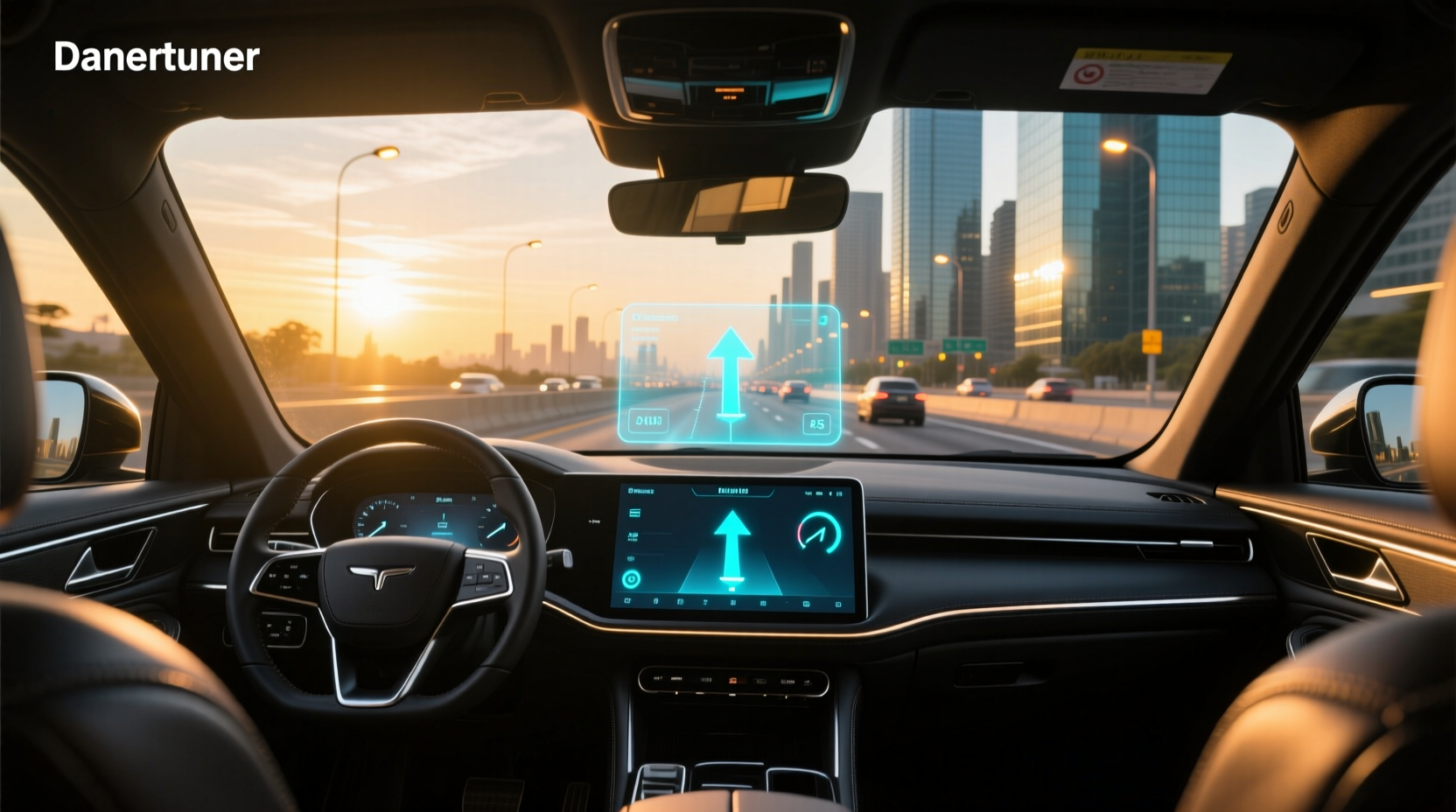
🚗 A car head up display (HUD) projects critical driving information—like speed, navigation directions, and engine alerts—directly into the driver’s line of sight, typically onto the windshield or a small transparent panel. This technology helps reduce distraction by eliminating the need to glance down at the instrument cluster. Originally developed from military aviation systems, automotive HUDs are now available in many factory-equipped vehicles and as aftermarket OBD2 devices that work with nearly any car manufactured after 1996.
Why Drivers Are Turning to Head Up Displays
One of the most common causes of accidents is distracted driving. According to the National Highway Traffic Safety Administration (NHTSA), taking your eyes off the road for just two seconds doubles your risk of a crash 1. A car head up display addresses this issue by keeping essential data visible within the primary field of vision. Whether you're navigating city streets or cruising on the highway, having real-time feedback without shifting focus can significantly enhance situational awareness.
How Does a Car HUD Work?
At its core, a head up display uses a projection system to cast digital information onto a reflective surface. There are two main types: windshield-integrated HUDs and dashboard-mounted units.
- Integrated HUD: Found in higher-end models from manufacturers like BMW, Mercedes-Benz, Toyota, and Subaru, these use the actual windshield as the projection surface. They rely on advanced optics and software calibration to ensure clarity and proper alignment.
- Aftermarket HUD (OBD2-based): These compact devices plug into the vehicle’s On-Board Diagnostics (OBD2) port—usually located under the dashboard near the steering column. Once connected, they pull data such as speed, RPM, coolant temperature, battery voltage, and fault codes directly from the car’s computer.
Most modern aftermarket HUDs feature LED or LCD screens with adjustable brightness, color settings, and viewing angles. Some even support smartphone integration via Bluetooth or FM transmitters to enable features like Apple CarPlay or Android Auto overlays 2.
Key Features to Look For in a Car Head Up Display
Not all HUDs offer the same capabilities. When evaluating options—whether OEM or aftermarket—consider the following factors:
✅ Data Accuracy & Compatibility
The device should be compatible with your vehicle’s make, model, and year. While OBD2 is standardized across all cars sold in the U.S. since 1996, some protocols vary between brands (e.g., CAN vs. KWP2000). Ensure the HUD supports your car’s communication protocol for reliable data transmission.
✨ Display Clarity and Visibility
A high-resolution display with anti-glare coating ensures readability in bright sunlight. Look for units that offer contrast adjustment, night mode, and polarization filters to minimize reflections. Nano-coating technologies used in premium models help eliminate ghosting and double images.
⚙️ Customization Options
Better HUDs allow drivers to customize which metrics appear—such as fuel level, engine load, turbo boost pressure, or gear recommendation. Advanced models may include overspeed alerts, low-voltage warnings, or engine fault detection with diagnostic code reading.
🔋 Power Management
Most OBD2 HUDs turn on and off automatically with the ignition. This prevents battery drain when the car is parked. Check if the unit has an auto-shutdown delay or manual override option.
🌐 Connectivity Features
Some newer HUDs integrate GPS for more accurate speed tracking independent of wheel sensors. Others add Bluetooth connectivity to sync with mobile apps for trip logging, performance monitoring, or voice-guided navigation prompts.
| Feature | Factory-Installed HUD | Aftermarket OBD2 HUD |
|---|---|---|
| Installation | Pre-installed; integrated into dashboard design | Plug-and-play via OBD2 port |
| Display Type | Full-color, wide-angle projection | LED/LCD screen, smaller projection area |
| Data Sources | Multiple vehicle networks (CAN, LIN, FlexRay) | OBD2 standard parameters only |
| Customization | High (via infotainment system) | Limited to preset modes |
| Cost | $500–$2,000+ (often included in trim packages) | $40–$150 |
| Upgrade Path | Rarely upgradeable | Firmware updates via USB/app |
Benefits of Using a Car Head Up Display
Integrating a HUD into your driving experience offers several tangible advantages:
📍 Reduced Eye Movement
Studies show that drivers who use HUDs spend less time looking away from the road. By placing speed and navigation cues in the forward view, cognitive load decreases, allowing quicker reactions to sudden changes in traffic.
🔍 Enhanced Situational Awareness
In adverse weather or low-light conditions, having key data clearly displayed improves confidence. For example, seeing current speed during heavy rain reduces uncertainty about whether you’re maintaining a safe pace.
📌 Safety Alerts Integration
Advanced HUDs can trigger visual or audible alerts for critical issues—overheating engine, low oil pressure, alternator failure, or tire pressure loss. Early warning allows preventive action before breakdowns occur.
⏱️ Smoother Navigation Experience
When paired with GPS-enabled systems, HUDs can project upcoming turn arrows, distance to destination, and lane guidance symbols. This minimizes reliance on phone mounts or built-in nav screens.
Common Misconceptions About Automotive HUDs
Despite growing popularity, there are persistent myths about how head up displays function and their effectiveness.
❌ Myth: All HUDs Show Full Infotainment Menus
Reality: Most aftermarket units only display basic driving metrics. Only select OEM systems with full integration support multimedia menus or phone interfaces.
❌ Myth: HUDs Distract More Than Help
While poorly designed displays with excessive animations or overly bright colors could be distracting, well-calibrated HUDs follow human-machine interface (HMI) principles focused on minimalism and relevance. Research from Panasonic Automotive indicates that properly positioned HUD content reduces glance time by up to 50% compared to traditional gauges 3.
❌ Myth: Aftermarket HUDs Damage Your Car’s Computer
No evidence suggests that OBD2-connected HUDs harm vehicle electronics. The OBD2 port is designed for diagnostic tools, and reputable HUDs draw minimal power and send no commands to the ECU.
Who Should Consider Installing a Car HUD?
A head up display isn’t necessary for every driver, but certain users benefit more than others:
- Fleet Operators: Companies managing delivery vans or service vehicles can monitor driver behavior through speed alerts and idling times.
- Commuters in Congested Areas: Urban drivers frequently switch lanes and respond to navigation cues; a HUD streamlines this process.
- Enthusiasts and Tuner Cars: Performance-oriented drivers appreciate real-time access to engine vitals like boost pressure or air-fuel ratio.
- Older Vehicles Without Modern Tech: Adding a $50 HUD brings semi-modern convenience to cars lacking digital clusters or smartphone linking.
Limitations and Drawbacks
While beneficial, HUDs do come with trade-offs:
❗ Limited Field of View
Most aftermarket units project a narrow image, often requiring precise positioning. If not aligned correctly, the display may appear cut off or float outside natural vision range.
❗ Glare and Reflection Issues
In older cars with non-laminated windshields, internal reflections can cause double imaging. Using a dedicated combiner glass (a small flip-up screen) often resolves this.
❗ Data Depth Constraints
OBD2 standards limit accessible data points. You won’t get access to advanced ADAS signals (like blind-spot monitoring status) unless the vehicle exposes them through the diagnostic port—which most don’t.
❗ Aesthetics and Fitment
Some dashboard-mounted HUDs look bulky or out of place, especially in luxury interiors. Integrated OEM versions maintain clean aesthetics but aren’t available as retrofits without major modifications.
How to Choose the Right HUD for Your Vehicle
Selecting the best car head up display involves balancing budget, functionality, and installation ease. Follow these steps:
- Determine Your Needs: Are you primarily interested in speed monitoring, navigation assistance, or engine diagnostics?
- Check OBD2 Protocol Support: Confirm compatibility with your car’s communication standard. European and Asian vehicles sometimes use proprietary extensions.
- Evaluate Mounting Options: Decide between windshield projection or combiner screen. Combiner types avoid optical issues on curved glass.
- Assess Display Quality: Test brightness levels, font size, and color contrast. Red/green colorblind drivers may prefer monochrome white displays.
- Review User Feedback: Look for consistent reports on reliability, firmware stability, and customer support responsiveness.
Tips for Optimal Use and Setup
To get the most value from your HUD:
- Position Carefully: Align the projector so the image appears just above the hood line, overlapping the road ahead without blocking view.
- Adjust Brightness Automatically: Enable ambient light sensing mode to prevent nighttime glare.
- Use Sparingly During Daylight: In direct sun, lower the opacity or shift to high-contrast color schemes (e.g., yellow on black).
- Update Firmware Regularly: Manufacturers occasionally release patches to fix bugs or expand supported vehicles.
Regional Differences in HUD Adoption
Adoption rates vary globally due to regulatory, cultural, and economic factors.
- North America: Growing demand driven by tech-savvy consumers and increasing availability in mid-tier SUVs and sedans.
- Europe: Strong presence in German-engineered vehicles; stricter regulations on display placement to avoid obstruction.
- Japan: Popular in JDM (Japanese Domestic Market) circles; many enthusiasts retrofit HUDs into classic or tuner cars for enhanced functionality 4.
- Emerging Markets: Still limited due to cost sensitivity, though affordable OBD2 units are gaining traction in urban centers.
Future Trends in Automotive HUD Technology
The next generation of head up displays is moving beyond simple speed readouts toward augmented reality (AR) integration.
- AR-HUD: Projects navigation arrows directly onto the road surface using camera input and GPS mapping. Already seen in models like the BMW iX and Honda Legend.
- Eye-Tracking Systems: Adjusts focus and depth based on where the driver is looking, reducing parallax error.
- Integration with Driver Monitoring: Combines HUD alerts with drowsiness detection or distraction warnings.
- Wireless Updates: Over-the-air (OTA) firmware improvements will keep older units functional longer.
As autonomous driving features evolve, HUDs may become central hubs for interaction—displaying handover requests, route confirmations, or traffic jam assist status.
DIY Installation Guide for OBD2 HUDs
Installing an aftermarket HUD takes less than five minutes:
- Locate the OBD2 port (typically below the steering column).
- Insert the HUD’s connector firmly until it clicks.
- Turn the ignition to “ON” (do not start the engine).
- Wait 10–20 seconds for the device to initialize and sync with the car’s ECU.
- Adjust the angle and height of the projector to align the display in your line of sight.
- Configure preferred settings using buttons on the unit or companion app.
No wiring, coding, or professional tools required. Always verify post-installation that all lights (ABS, SRS, etc.) operate normally—rare interference cases have been reported with poorly shielded electronics.
When NOT to Buy a Car Head Up Display
Despite benefits, there are scenarios where purchasing a HUD may not make sense:
- You Drive Rarely: If you only drive short distances weekly, the investment may not yield noticeable returns.
- Your Car Already Has One: Duplicating functionality adds clutter and potential distraction.
- You’re Sensitive to Light: Some users report discomfort from persistent glow, especially in dark environments.
- Budget Constraints Exist: While affordable, spending $100+ on a non-critical accessory may not align with urgent maintenance needs.
Final Thoughts: Is a Car HUD Worth It?
A car head up display is not a luxury gimmick—it’s a practical tool that enhances safety and convenience. For drivers seeking better focus, faster reaction times, and improved navigation clarity, even a basic OBD2 HUD delivers measurable value. However, success depends on choosing the right model, installing it properly, and using it responsibly. Prioritize simplicity, accuracy, and ergonomics over flashy features. With thoughtful selection, a HUD can transform your daily drive into a safer, more informed experience.
Frequently Asked Questions (FAQ)
- Can I install a car head up display myself?
- Yes, most aftermarket OBD2 HUDs are plug-and-play devices that require no special tools or knowledge. Simply connect to the OBD2 port and adjust the display angle.
- Do all cars support head up displays?
- Factory HUDs are only available on select trims. However, any vehicle with an OBD2 port (1996 and newer in the U.S.) can use an aftermarket HUD for basic data projection.
- Are HUDs legal to use while driving?
- Yes, HUDs are legal in most countries as long as they don’t obstruct the driver’s view or display video content unrelated to driving. Always check local regulations regarding placement and brightness.
- Why does my HUD show incorrect speed sometimes?
- Discrepancies usually stem from differences between GPS-based speed (used by some apps) and wheel-sensor data from the OBD2 system. Factory HUDs use calibrated vehicle sensors for highest accuracy.
- Can a head up display drain my car battery?
- Reputable HUDs draw minimal power and shut off automatically with the ignition. However, faulty units or poor-quality adapters may cause parasitic drain over time.





 浙公网安备
33010002000092号
浙公网安备
33010002000092号 浙B2-20120091-4