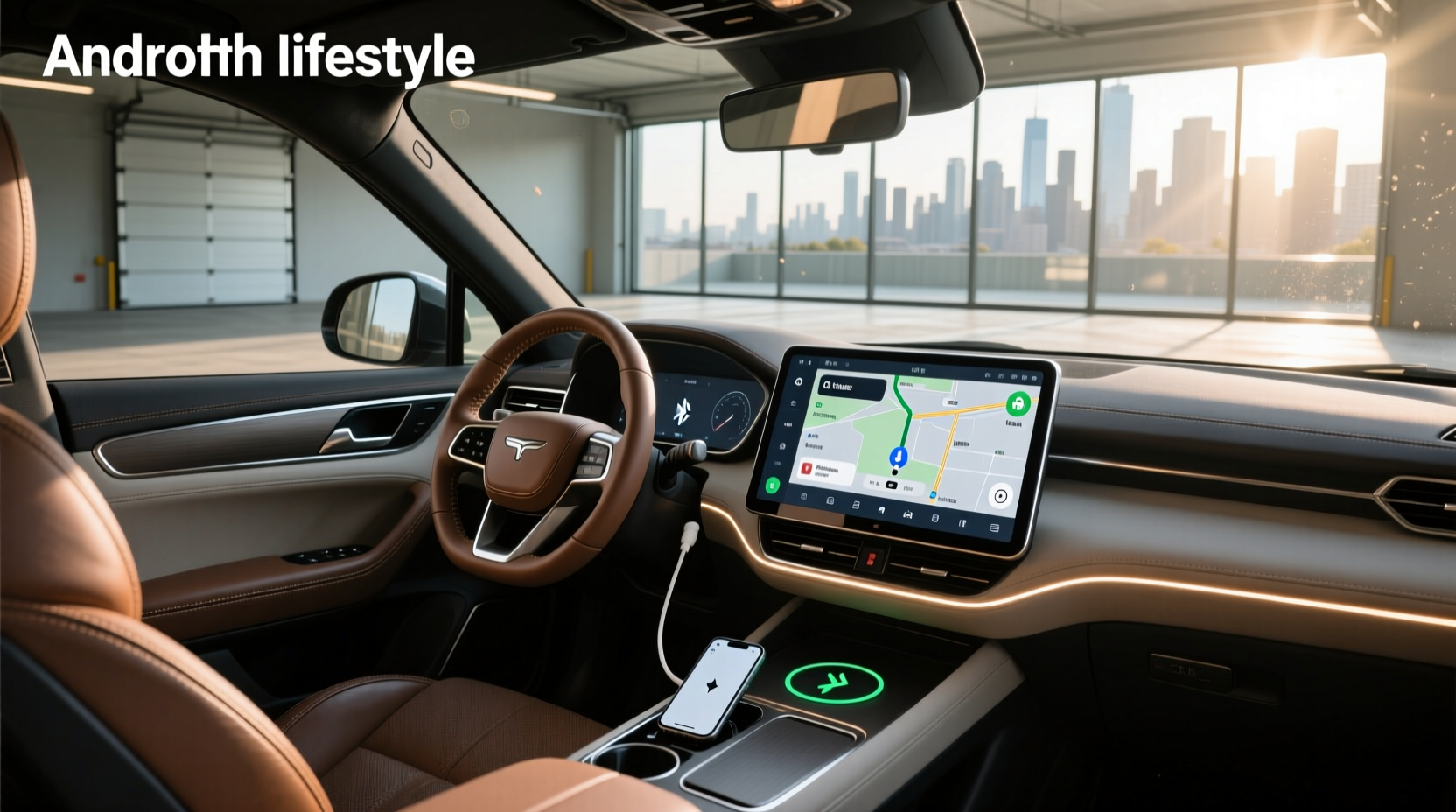
If you're searching for a way to modernize your driving experience, upgrading to a car head unit Android system is one of the most effective steps you can take. These aftermarket infotainment units run on the Android operating system, giving drivers access to apps like Google Maps, Spotify, YouTube, and WhatsApp directly from their dashboard. Unlike factory-installed radios, Android head units offer touchscreen interfaces, wireless Apple CarPlay and Android Auto support, built-in GPS navigation, Bluetooth calling, Wi-Fi connectivity, and expandable storage via microSD or USB. Whether you drive a Citroen C4, Toyota Corolla, or Ford Focus, there’s likely a compatible double DIN Android head unit available that fits seamlessly into your dashboard.
This guide breaks down everything you need to know before buying and installing an Android-based car stereo. We’ll cover key specifications such as screen size, processor type, RAM and storage capacity, supported Android versions, connectivity options, and vehicle-specific fitment concerns. You'll also learn about installation challenges, software updates, voice assistant integration, and how to avoid low-quality units that fail prematurely. By the end, you’ll be equipped with practical knowledge to make an informed decision tailored to your car model, budget, and tech needs.
Why Upgrade to a Car Head Unit with Android OS?
Factory audio systems in many vehicles—especially those manufactured before 2018—lack modern smartphone integration and responsive touch controls. A car head unit Android replacement solves this by turning your dashboard into a smart hub. Here are the primary benefits:
- 📱 Full App Access: Run Android apps natively without relying on phone mirroring.
- 🌐 Built-in Connectivity: Many models include 4G LTE modems, Wi-Fi hotspots, and Bluetooth 5.0 for seamless streaming.
- 🧭 Always-On Navigation: Preloaded maps (like IGO or Here WeGo) work offline; real-time traffic uses live data when connected.
- 📞 Hands-Free Calling & Messaging: Integrated microphone and speaker support allow safe communication while driving.
- 🔧 Customization: Change launchers, themes, and default apps just like on a smartphone.
However, not all Android head units perform equally. Performance depends heavily on hardware quality, firmware optimization, and proper installation.
Key Features to Evaluate Before Buying
To get the best value and reliability, focus on these technical aspects when comparing units:
✅ Operating System Version
Newer units often advertise Android 12, 13, 14, or even 15. While higher numbers suggest better performance, don’t assume newer always means better. Some manufacturers use outdated kernels or poorly optimized builds that lag despite running Android 14. Look for devices using stock Android or lightweight skins for smoother operation.
✅ Processor and Chipset
The chipset determines responsiveness. Common processors include:
- Rockchip PX6/PX5: Widely used, reliable mid-range option.
- Qualcomm Snapdragon: Found in premium units; excellent for multitasking.
- Allwinner T series: Budget-friendly but may struggle with heavy apps.
Avoid unknown or unbranded chips. Octa-core CPUs generally outperform quad-core ones, especially when running navigation and music simultaneously.
✅ RAM and Internal Storage
Minimum recommended specs:
| Use Case | Recommended RAM | Internal Storage |
|---|---|---|
| Basic functions (radio, calls) | 2 GB | 16–32 GB |
| Navigation + media playback | 4 GB | 32–64 GB |
| Heavy app usage, split-screen | 6–8 GB | 64–128 GB |
Units with less than 2GB RAM may freeze during GPS rerouting or app switching.
✅ Screen Size and Display Quality
Most aftermarket Android head units range from 7 to 13 inches, fitting standard double DIN slots (approx. 7" x 4"). Larger screens improve usability but may block climate controls or steering wheel buttons if not properly aligned.
Look for:
- IPS or QLED panels: Better viewing angles and color accuracy.
- Capacitive touchscreens: More responsive than resistive types.
- Brightness levels: At least 800 cd/m² for visibility in direct sunlight.
✅ Connectivity Options
Ensure the unit supports the connections you actually use:
- Bluetooth 5.0+ for stable audio and call quality.
- USB ports (at least two): One for charging, one for flash drives.
- MicroSD card slot: Expandable storage up to 512GB.
- Wi-Fi 802.11ac: Faster downloads and OTA updates.
- Apple CarPlay & Android Auto: Should support both wired and wireless modes.
- Rear camera input: Essential for reversing safety.
- OBD2 integration: Displays engine diagnostics when paired with a dongle.
Vehicle Compatibility: Will It Fit Your Car?
One of the biggest mistakes buyers make is assuming any double DIN unit will fit their car. Even within the same model line—like the Citroen C4 (2004–2010 vs. 2011–2018)—dashboard dimensions, wiring harnesses, and CAN bus signaling differ significantly.
Before purchasing, confirm:
- Dash opening size: Measure width, height, and depth.
- Steering wheel control retention: Some units require adapters to keep factory controls functional.
- Climate control interface: In older cars, replacing the head unit might disable AC display or fan settings unless a bypass module is installed.
- Reverse camera trigger: Factory backup cameras may not activate without a video interface.
- Illumination matching: LED button colors should match original dash lighting (e.g., white, red, blue).
Reputable sellers provide year-make-model-specific kits that include mounting brackets, wiring looms, and antenna adapters. Always verify fitment using your VIN or consult a professional installer.
Installation Challenges and Risks
While DIY installation seems straightforward, several hidden issues can arise:
🔧 Wiring Complexity
Modern cars use multiplexed electrical systems where signals are sent digitally over shared wires. Simply plugging in a new head unit may cause errors like:
- “No audio” due to missing amplifiers or impedance mismatches.
- Dashboard warnings indicating “communication failure.”
- Loss of fuel economy readouts or trip computer data.
Solution: Use a vehicle-specific harness adapter and, if needed, a CAN bus decoder module to translate signals correctly.
⚙️ Firmware and Software Bugs
Many budget Android head units ship with buggy firmware. Symptoms include:
- Random reboots after 10–15 minutes.
- Touchscreen unresponsiveness in cold weather.
- GPS signal drops or inaccurate location tracking.
- Inability to update Android version beyond initial release.
Check user reviews and forums (like Reddit’s r/AndroidHeadUnits) for known issues with specific brands or SKUs. Units with open developer options and bootloader access allow advanced users to flash custom ROMs if needed.
🔋 Power Draw and Overheating
High-performance Android units consume more power than OEM radios. Prolonged use with the engine off can drain the battery. Also, poor ventilation behind the dash can lead to overheating—especially in summer.
Tips:
- Install a delay shut-off timer so the unit stays on for 2–3 minutes after ignition off.
- Avoid stacking multiple high-draw accessories (amplifiers, dash cams) on the same circuit.
- Choose units with aluminum heat sinks and thermal throttling protection.
Aftermarket vs OEM: What's the Difference?
Some manufacturers offer OEM-style Android head units (e.g., Kenwood, Pioneer), which integrate cleanly with factory systems. Aftermarket units from lesser-known brands often prioritize features over stability.
| Aspect | OEM-Style Units | Generic Aftermarket |
|---|---|---|
| Build Quality | High (metal casings, sealed connectors) | Variable (often plastic-heavy) |
| Software Support | Regular security patches, multi-year updates | Rare; usually one-time firmware |
| Integration | Preserves steering controls, HVAC display | May require add-on modules |
| Price Range | $400–$700 | $80–$300 |
| Lifespan | 5+ years typical | 2–3 years common |
If long-term reliability matters, investing in a branded OEM-compatible unit pays off. For short-term upgrades or project cars, budget options may suffice.
Common Misconceptions About Android Head Units
Despite growing popularity, several myths persist:
❌ "All Android Head Units Support Google Play Store"
Not true. Many units run stripped-down Android versions without GMS (Google Mobile Services) certification. Without GMS, you can’t install Google Maps, Gmail, or YouTube from the official store. Instead, users must sideload APK files manually—a process that risks malware or compatibility problems.
Always check product specs for "GMS certified" or "Google Play Store included." If absent, assume limited app support.
❌ "Bigger Screens Are Always Better"
Large displays (12+ inches) look impressive but can obstruct instrument clusters or reduce airbag effectiveness in collisions. They also increase glare at night and complicate legal compliance in regions restricting dashboard obstructions.
❌ "Wireless CarPlay Means No Wires Needed"
Even with wireless CarPlay, the unit still requires constant power and ground connections. Plus, initial pairing and software updates often need USB cables. True plug-and-play doesn’t exist.
How to Choose the Right Unit for Your Needs
Follow this step-by-step checklist:
- 📋 Identify Your Vehicle Model and Year: Search for fitment guides using your exact make, model, and production date.
- 📌 Define Core Needs: Do you want navigation? Video playback? OBD2 integration? Prioritize essential features.
- 🔍 Research Reputable Brands: Look for companies with dedicated support sites, firmware updates, and active customer service.
- 📊 Compare Hardware Specs: Don’t fall for marketing hype. Focus on verified RAM, CPU, and storage—not just "octa-core" or "ultra-fast" claims.
- 🛠️ Plan Installation Method: Decide whether to DIY or hire a professional. Factor in adapter costs and potential labor fees ($100–$200).
- 💰 Set a Realistic Budget: Include taxes, shipping, and accessories. Expect to spend $200–$500 for a reliable setup.
Avoid deals that seem too good to be true—units under $100 often cut corners on components and safety certifications.
Maintenance and Long-Term Use Tips
Once installed, maintain performance with these practices:
- Update firmware regularly: Check manufacturer site every 3–6 months.
- Clear cache monthly: Prevents slowdowns from accumulated temporary files.
- Use antivirus tools: Install trusted mobile security apps if downloading third-party APKs.
- Limit background apps: Close unused navigation or streaming services to preserve RAM.
- Monitor temperature: If the screen dims or lags in heat, consider adding airflow vents.
Back up settings periodically in case a factory reset becomes necessary.
Frequently Asked Questions (FAQs)
- Can I install a car head unit Android myself?
- Yes, if you have basic electrical skills and the right tools. However, modern vehicles with complex CAN bus systems often require professional installation to avoid damaging electronics or losing functionality.
- Do Android head units work with iPhone?
- Yes, most support wireless Apple CarPlay, allowing iPhone users to access messages, calls, music, and navigation through the head unit interface.
- Will an Android head unit drain my car battery?
- It can if left on after the engine is off. Units typically draw 2–5 amps. To prevent drainage, enable auto-shutdown or install a voltage cutoff switch.
- Are there security risks with Android car stereos?
- Potentially. Units with internet access and sideloaded apps can be vulnerable to malware. Avoid downloading untrusted APKs and use strong passwords if enabling remote access features.
- How long do aftermarket Android head units last?
- Well-built units last 4–7 years. Cheaper models may fail within 2–3 years due to soldering defects, screen delamination, or software obsolescence.





 浙公网安备
33010002000092号
浙公网安备
33010002000092号 浙B2-20120091-4