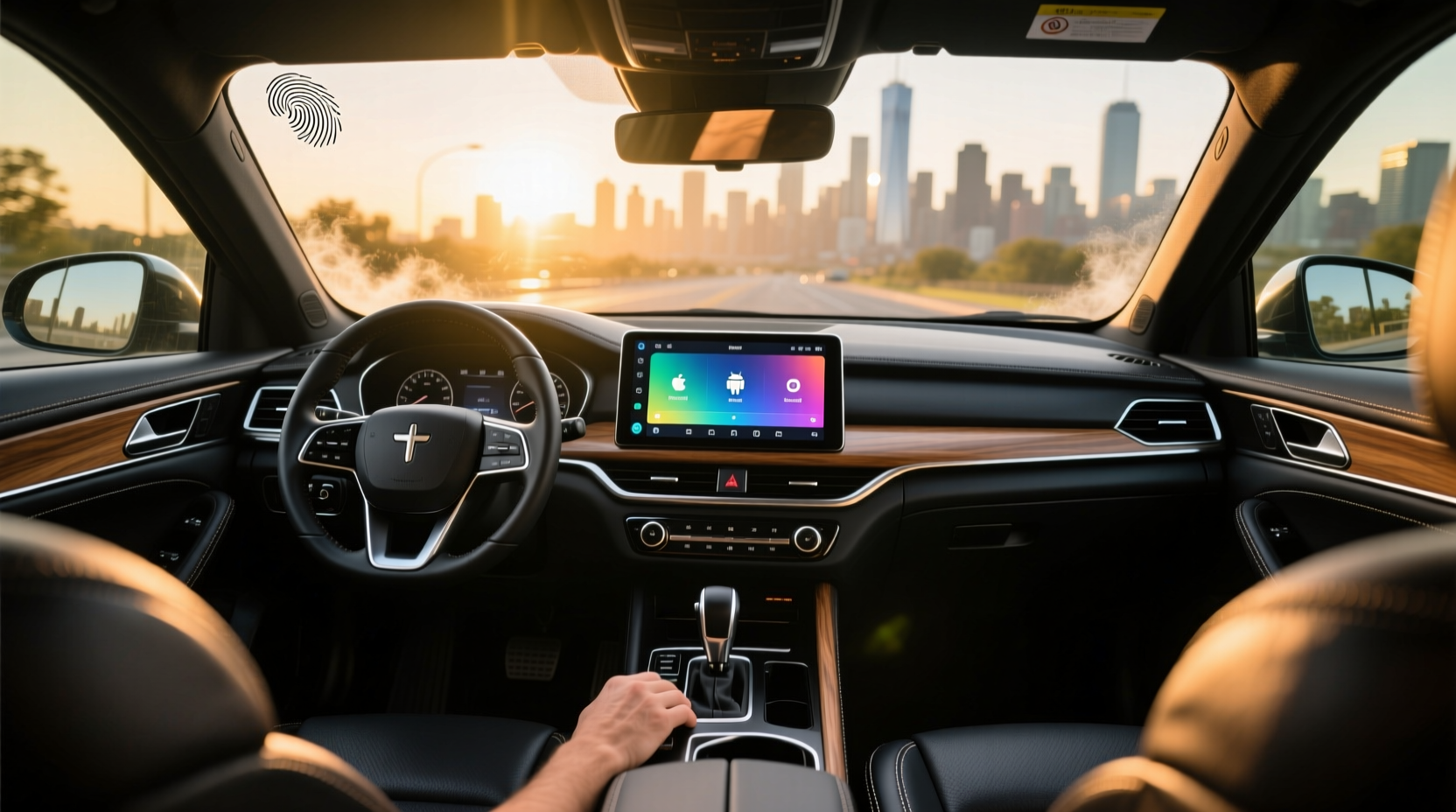
If you're searching for a way to modernize your car's infotainment system, head unit android devices offer a powerful solution that integrates smartphone functionality, navigation, media streaming, and voice control directly into your dashboard. Unlike factory-installed systems limited by outdated software or lack of app support, an aftermarket Android-based head unit gives you full access to Google Play, GPS apps like Google Maps, music platforms such as Spotify or YouTube Music, and wireless connectivity through Bluetooth and Wi-Fi. This guide breaks down everything you need to know before buying—covering compatibility, performance indicators, installation considerations, and real-world usability so you can make an informed decision without falling for marketing hype.
What Is a Head Unit Android?
A head unit android, also known as an Android car stereo or double din Android receiver, is an aftermarket infotainment system that runs on the Android operating system. It replaces your vehicle’s original radio or OEM display with a touchscreen interface powered by its own processor, memory, and storage. These units typically run Android 9 or higher, support Google Play Store (with some limitations), and allow users to install apps just like on a smartphone—but optimized for in-car use.
Unlike basic MP5 players or single-purpose screens, a true head unit android provides:
✅ Independent operation from your phone
✅ Built-in GPS navigation
✅ Support for both wired and wireless Android Auto
✅ Access to third-party apps including YouTube, Netflix (for passenger use only)
✅ Bluetooth calling and audio streaming
✅ Reverse camera input and multi-camera support
✅ Customizable UI themes and startup logos
Why Upgrade to an Android Head Unit?
Many modern cars still come with factory systems that lack over-the-air updates, have slow processors, or don’t support popular apps. Even newer models may phase out physical buttons or touch responsiveness in favor of gesture controls that aren't always reliable while driving. An aftermarket head unit android solves these issues by offering:
- Up-to-date software: You’re not stuck with a 2018 version of Android; most new units ship with recent OS versions and receive firmware updates.
- Better screen quality: High-resolution IPS displays with capacitive touch (like smartphones) instead of resistive panels found in older OEM radios.
- Expandable features: Add-ons like DAB+ radio, OBD2 integration, tire pressure monitoring, or dash cam recording are often supported via USB or Wi-Fi.
- Greater personalization: Change home screen layouts, set custom boot animations, assign button functions, and even install launchers.
Key Features to Evaluate Before Buying
Not all head unit android models perform equally. To avoid disappointment after purchase, evaluate these critical aspects:
⚙️ Processor & RAM: Speed Matters
The performance of your head unit depends heavily on its internal hardware. Look for at least a quad-core Cortex-A53 or better (e.g., A75) processor and a minimum of 4GB RAM. Units with only 2GB RAM may struggle with multitasking—such as running navigation while playing music and receiving calls.
📌 Tip: Avoid generic brands that list “Octa-Core” without specifying the chip model. Some low-end SoCs labeled as octa-core are actually underpowered.
🛒 Storage Capacity and Expandability
Most units come with 32GB or 64GB internal storage. While this seems sufficient, keep in mind that the OS takes up around 8–10GB. If you plan to download offline maps, music libraries, or multiple apps, opt for 64GB or one with a microSD card slot (up to 512GB).
🌐 Connectivity Options
Ensure the unit supports:
- Dual Bluetooth (for phone and audio device simultaneously)
- 5GHz Wi-Fi (faster than 2.4GHz, less interference)
- USB ports (at least two, preferably one front-facing)
- Optional LTE module for standalone internet (if needed)
Some advanced units support wireless CarPlay and Android Auto mirroring even if the head unit itself isn’t running Android—this is useful if you want to retain your phone’s interface but gain larger screen benefits.
📍 Display Quality and Touch Response
Screen size ranges from 7” to 10.1”. Larger isn’t always better—it must fit your dashboard cutout (usually Double DIN). Prioritize units with:
- IPS panel (better viewing angles and color accuracy)
- Capacitive touchscreen (responds to light touches, like smartphones)
- Anti-glare coating (critical for daytime visibility)
🔧 Compatibility with Your Vehicle
Before purchasing, confirm:
- Physical fit (measure your current radio opening)
- Steering wheel control retention
- Factory camera and microphone integration
- CAN bus compatibility for displaying vehicle data (speed, fuel level, door status)
🛠️ Many sellers provide vehicle-specific harness adapters and mounting kits. Ask for compatibility confirmation based on your car’s make, model, and year.
| Feature | Minimum Recommended | Ideal Spec |
|---|---|---|
| Operating System | Android 9.0 | Android 10+ |
| CPU | Quad-Core 1.8GHz | Octa-Core A75/A76 |
| RAM | 4GB | 6–8GB |
| Storage | 32GB | 64GB + microSD |
| Wi-Fi | 2.4GHz | Dual-band (2.4 + 5GHz) |
| Display | 7" Resistive | 9"–10" IPS Capacitive |
| Audio Output | 4x45W | 4x50W RMS or more |
Common Misconceptions About Head Unit Android Systems
❌ "All Android Head Units Support Google Play"
While most do, some manufacturers disable Google Mobile Services (GMS) due to licensing. Without GMS, you can’t install Gmail, YouTube, or Google Maps directly. Instead, they rely on alternative app stores or sideloading APKs—a workaround, but not ideal for long-term use.
✅ Always verify GMS certification before purchase. Look for official Google Play logo or test videos showing app downloads.
❌ "Wireless Android Auto Means Full Phone Mirroring"
Wireless Android Auto only mirrors compatible apps (navigation, messaging, music). It doesn’t turn your head unit into a full Android tablet. However, standalone head unit android devices can run apps independently—even when your phone is disconnected.
❌ "Bigger Screen = Better Experience"
A large screen might look impressive, but poor software optimization leads to lag. Also, oversized units may block climate controls or obstruct instrument cluster visibility—especially in compact cabins.
Installation: DIY vs Professional Setup
Replacing a factory head unit requires removing the trim panel, disconnecting the old unit, and connecting the new one using wiring harnesses. For experienced users, this takes 1–2 hours. But complications arise when integrating with:
- Factory amplifiers or premium sound systems (e.g., Harman Kardon, Bose)
- Digital dash clusters that display audio info
- Advanced driver assistance systems (ADAS) that feed camera data
⚠️ Improper installation can cause:
- Battery drain when engine is off
- Loss of steering wheel controls
- Glitches in backup camera activation
🛠️ Recommendation: Use a professional installer familiar with your vehicle brand, especially for European or luxury models where communication protocols (like LIN bus or MOST) differ from standard ISO connectors.
Performance Tips After Installation
Once installed, optimize your head unit android for reliability and speed:
⏱️ Reduce Boot Time
Some units take 30–60 seconds to start. To improve:
- Disable unnecessary startup apps
- Turn off animated boot logos
- Enable fast boot mode in settings (if available)
🔋 Manage Battery Drain
Even when parked, poorly configured units can draw power. Prevent parasitic drain by:
- Ensuring ACC wire is properly connected (powers off with ignition)
- Disabling Bluetooth/Wi-Fi auto-start
- Setting deep sleep mode after 5 minutes of inactivity
✨ Customize Interface for Safety
Reduce distractions by:
- Using simplified launcher apps
- Pinning frequently used apps (Maps, Phone, Music)
- Enabling dark mode at night
Alternatives to Full Head Unit Replacement
If replacing the entire head unit isn’t feasible (due to cost, warranty concerns, or complexity), consider these alternatives:
📱 Wireless Android Auto Dongles
Devices like AutoCast or AABox plug into your car’s USB port and enable wireless Android Auto on existing factory screens. They don’t replace the OS but mirror your phone wirelessly—ideal for temporary upgrades.
📺 External Touchscreen Overlays
Magnetic or suction-mounted tablets or dedicated screens (e.g., Pioneer MVH series) can be attached near the dashboard. These run Android independently and connect via Bluetooth or AUX, though they may obstruct airflow or airbags.
🔄 Factory Infotainment Upgrades
Some automakers offer official update programs or retrofit kits (e.g., BMW’s iDrive upgrade, Mercedes NTG5.5 refresh). Check with your dealer first—sometimes it’s cheaper and safer than third-party solutions.
Regional Differences and Legal Considerations
Laws regarding in-car displays vary by country. In the U.S., there are no federal restrictions on passenger-side video playback, but many states prohibit moving video on the driver’s primary screen. In Europe, UN Regulation 79 bans any function requiring prolonged visual attention during driving.
Also, firmware versions may differ regionally. For example, Chinese-made units often include preloaded Chinese apps and lack English language packs unless specified. Always confirm regional firmware availability and update policy.
Future Trends: Will Cars Eliminate Android Auto?
You may have seen headlines asking, "Why are cars getting rid of Android Auto?" Some automakers (like Apple and certain EV brands) are shifting toward embedded ecosystems (e.g., Apple CarPlay native integration, Tesla’s UI). However, this doesn’t mean Android Auto is disappearing—it’s evolving.
Newer standards like Android Automotive OS (different from Android Auto) are being built directly into vehicles (e.g., Polestar, Volvo, GM Ultra Cruise). This is a fully integrated version of Android, allowing automakers to customize the experience while maintaining app compatibility.
For consumers, this means:
- Fewer compatibility issues
- Deeper vehicle integration (HVAC, seat controls)
- Over-the-air updates managed by the manufacturer
But for now, standalone head unit android systems remain the best option for older or non-supported vehicles.
Frequently Asked Questions (FAQ)
Can I turn my car screen into Android Auto?
Yes—if your factory screen supports wired or wireless Android Auto. If not, you’ll need either a compatible dongle (like AutoCast) or a full head unit replacement with built-in Android Auto support.
Is Android Auto better than CarPlay?
It depends on your ecosystem. Android Auto excels with Google services (Maps, Assistant, YouTube Music). CarPlay integrates better with iPhone users and offers tighter Siri and iMessage functionality. Both offer similar safety-focused interfaces.
Are there downsides to Android car radios?
Potential downsides include overheating in direct sunlight, slower boot times compared to OEM systems, inconsistent app optimization, and possible interference with AM/FM signals. Choose well-reviewed models with adequate cooling and reputable firmware.
Do I need a phone to use a head unit android?
No. A standalone head unit android operates independently. You can use GPS, play local files, stream via SIM card (if equipped), and run apps without a phone. However, pairing a phone enables calling, messaging, and enhanced navigation.
How do I know if a head unit will fit my car?
Check your vehicle’s radio size (Single DIN or Double DIN), then match it with the product dimensions. Use online fitment tools or consult a retailer with a vehicle database. Most universal units fit Double DIN slots, common in post-2000 vehicles.





 浙公网安备
33010002000092号
浙公网安备
33010002000092号 浙B2-20120091-4